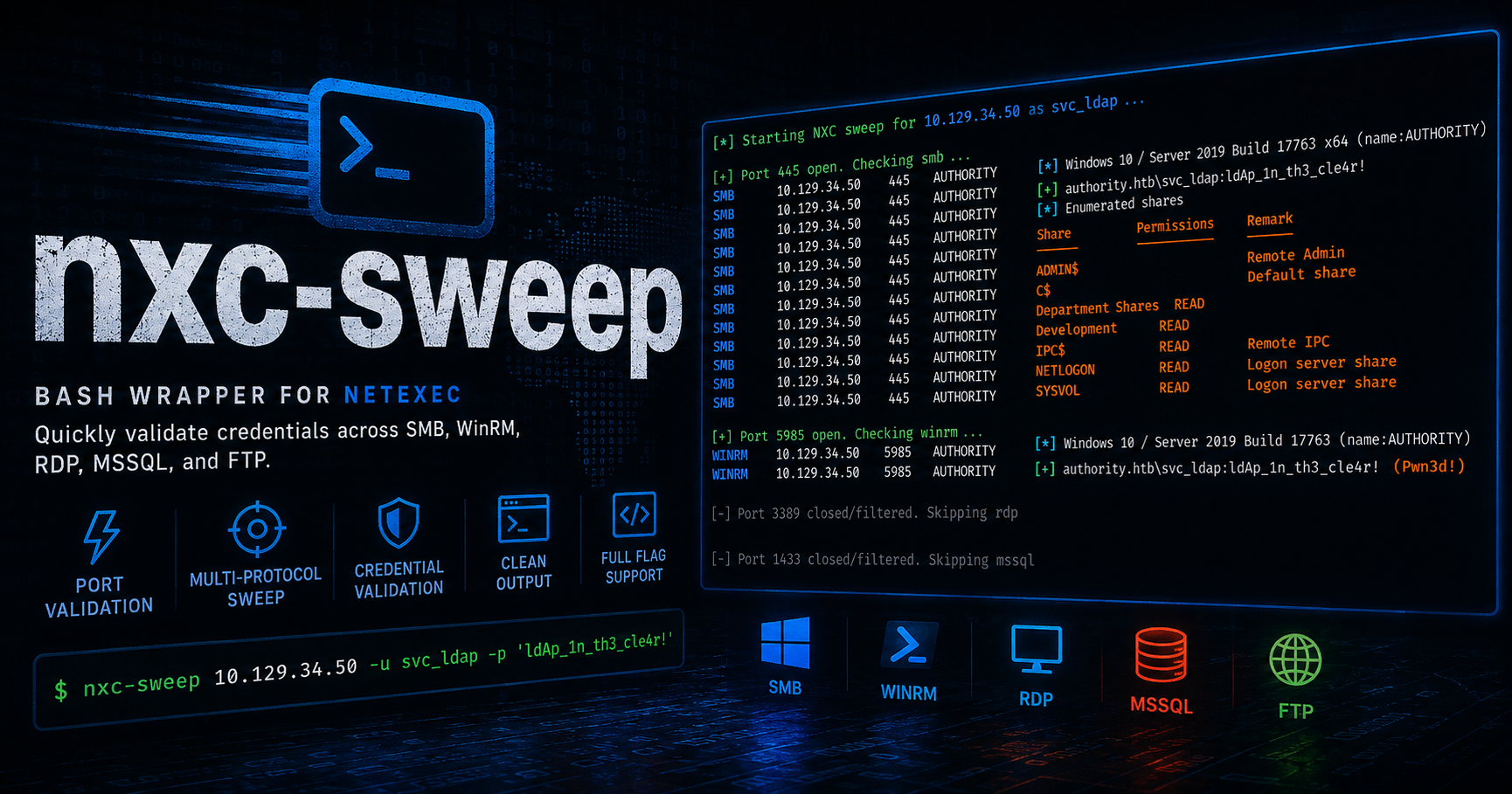
Stop manually cycling through protocols in NetExec! 🛑
While working through Hack The Box machines and OSCP+ prep, I kept running into the same hiccup in my workflow. Whenever I got a valid set of credentials on a Windows or AD box, I’d end up manually cycling through 3-4 protocols with nxc to see where I get a hit.
To speed things up, I made nxc-sweep: a Bash wrapper that checks each port state with netcat before using nxc on SMB, WinRM, RDP, MSSQL, and FTP. If the port isn’t open, it gracefully skips it and moves on.
GitHub Repository: corey-farley/nxc-sweep
As of writing, it currently has 93 stars and over 100,000 impressions!
7/21/26 EDIT: Now that I’ve taken and passed the OSCP, I can confirm this helped me IMMENSELY and I was able to fully compromise my AD set in under and hour.
Why?
Running nxc per-protocol manually can be tedious sometimes, especially when you’re constantly pivoting from different users. This wrapper pre-validates ports with netcat to see if they’re present, then sweeps all relevant services in one go. Built for HTB labs and my OSCP prep to speed up early Windows/AD credentialed enumeration.
It’s easily customizable too—you can add LDAP, WMI, or even change up the options to the pre-existing protocols.
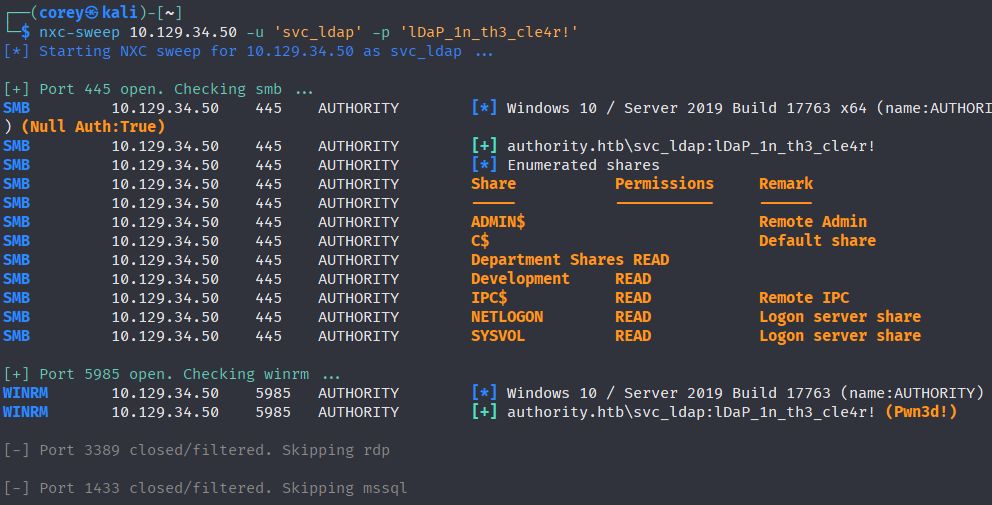
Features
- Quick Port Validation: Uses
ncto verify port status before checking the protocol withnxc. - Protocol Suite: Automatically sweeps SMB, WinRM, RDP, MSSQL, and FTP.
- Versatile Targeting: Seamless use in both Active Directory and standalone Windows environments.
- Dynamic Flag Passing: Pass any native, global NetExec flags (e.g.,
--local-auth) directly through the wrapper. - Clean Output: Preserves native NetExec color coding for easy readability of
(Pwn3d!)statuses and share permissions. (Also includes useful default options like--sharesfor SMB and a query that lists accessible databases for MSSQL).
Installation
For system-wide accessibility, use this one-liner to download the script, apply execution permissions, and move it into your $PATH:
curl -sSL '[https://raw.githubusercontent.com/corey-farley/nxc-sweep/main/nxc-sweep](https://raw.githubusercontent.com/corey-farley/nxc-sweep/main/nxc-sweep)' -o nxc-sweep && chmod +x nxc-sweep && sudo mv nxc-sweep /usr/local/bin/
Usage
nxc-sweep <IP> -u <username> -p <password> [--local-auth]
Examples
Example 1: Standard Domain Authentication
└─$ nxc-sweep 10.129.34.53 -u 'rose' -p 'KxEPkKe6R8su'
[*] Starting NXC sweep for 10.129.34.53 as rose ...

[+] Port 445 open. Checking smb ...
SMB         10.129.34.53    445    DC01             [*] Windows 10 / Server 2019 Build 17763 x64 (name:DC01) (domain:sequel.htb) (signing:True) (SMBv1:None) (Null Auth:True)
SMB         10.129.34.53    445    DC01             [+] sequel.htb\rose:KxEPkKe6R8su
SMB         10.129.34.53    445    DC01             [*] Enumerated shares
SMB         10.129.34.53    445    DC01             Share           Permissions     Remark
SMB         10.129.34.53    445    DC01             -----           -----------     ------
SMB         10.129.34.53    445    DC01             Accounting Department READ
SMB         10.129.34.53    445    DC01             ADMIN$                          Remote Admin
SMB         10.129.34.53    445    DC01             C$                              Default share
SMB         10.129.34.53    445    DC01             IPC$            READ            Remote IPC
SMB         10.129.34.53    445    DC01             NETLOGON        READ            Logon server share
SMB         10.129.34.53    445    DC01             SYSVOL          READ            Logon server share
SMB         10.129.34.53    445    DC01             Users           READ

[+] Port 5985 open. Checking winrm ...
WINRM       10.129.34.53    5985   DC01             [*] Windows 10 / Server 2019 Build 17763 (name:DC01) (domain:sequel.htb)
WINRM       10.129.34.53    5985   DC01             [-] sequel.htb\rose:KxEPkKe6R8su

[-] Port 3389 closed/filtered. Skipping rdp

[+] Port 1433 open. Checking mssql ...
MSSQL       10.129.34.53    1433   DC01             [*] Windows 10 / Server 2019 Build 17763 (name:DC01) (domain:sequel.htb) (EncryptionReq:False)
MSSQL       10.129.34.53    1433   DC01             [+] sequel.htb\rose:KxEPkKe6R8su
MSSQL       10.129.34.53    1433   DC01             name:master
MSSQL       10.129.34.53    1433   DC01             name:tempdb
MSSQL       10.129.34.53    1433   DC01             name:model
MSSQL       10.129.34.53    1433   DC01             name:msdb

[-] Port 21 closed/filtered. Skipping ftp

[*] All active services checked.
Example 2: Local Authentication
└─$ nxc-sweep 10.129.34.51 -u 'craig' -p 'password123' --local-auth
[*] Starting NXC sweep for 10.129.34.51 as craig ...

[+] Port 445 open. Checking smb ...
SMB         10.129.34.51    445    SUPPORTDESK      [*] Windows 10 / Server 2019 Build 17763 x64 (name:SUPPORTDESK) (domain:SUPPORTDESK) (signing:False) (SMBv1:None)
SMB         10.129.34.51    445    SUPPORTDESK      [+] SUPPORTDESK\craig:password123
SMB         10.129.34.51    445    SUPPORTDESK      [*] Enumerated shares
SMB         10.129.34.51    445    SUPPORTDESK      Share           Permissions     Remark
SMB         10.129.34.51    445    SUPPORTDESK      -----           -----------     ------
SMB         10.129.34.51    445    SUPPORTDESK      ADMIN$                          Remote Admin
SMB         10.129.34.51    445    SUPPORTDESK      C$                              Default share
SMB         10.129.34.51    445    SUPPORTDESK      IPC$            READ            Remote IPC

[-] Port 5985 closed/filtered. Skipping winrm

[+] Port 3389 open. Checking rdp ...
RDP       10.129.34.51    3389   SUPPORTDESK      [*] Windows 10 / Server 2019 Build 17763 (name:SUPPORTDESK) (domain:SUPPORTDESK)
RDP       10.129.34.51    3389   SUPPORTDESK      [+] SUPPORTDESK\craig:password123 (Pwn3d!)

[-] Port 1433 closed/filtered. Skipping mssql

[+] Port 21 open. Checking ftp ...
FTP         10.129.34.51    21     10.129.34.51     [+] craig:password123
FTP         10.129.34.51    21     10.129.34.51     [*] Directory Listing
FTP         10.129.34.51    21     10.129.34.51     10-05-24  09:13AM                  952 Backup.psafe3

[*] All active services checked.
Source Code
The official repo is listed at the top of this page, but here’s another copy of it:
#!/bin/bash

# --- Colors ---
BLUE='\033[0;34m'
YELLOW='\033[38;5;226m'
GREEN='\033[0;32m'
GREY='\033[38;5;244m'


# --- Help Menu ---
usage() {
    echo -e "${YELLOW}Usage: nxc-sweep <IP> -u <username> -p <password> [global flags]"
    exit 1
}


# pulls IP first like in native nxc syntax
if [[ -z "$1" || "$1" == -* ]]; then
    usage
fi

TARGET=$1
shift # shifts arguments over so $2 becomes $1, etc.

# parses the remaining flags (-u, -p, and anything else like --local-auth)
GLOBAL_FLAGS=()
while [[ "$#" -gt 0 ]]; do
    case $1 in
        -u) USER=$2; shift 2 ;;
        -p) PASS=$2; shift 2 ;;
        *) GLOBAL_FLAGS+=("$1"); shift 1 ;;
    esac
done


# validation check
if [[ -z "$TARGET" || -z "$USER" || -z "$PASS" ]]; then
    usage
fi

echo -e "${BLUE}[*] Starting NXC sweep for $TARGET as $USER ...\n"

# --- Protocol Handler ---
check_and_run() {
    local PORT=$1
    local PROTO=$2
    shift 2

    # checks if the port is open before running NXC to save time
    if nc -z -w 1 "$TARGET" "$PORT" 2>/dev/null; then
        echo -e "${GREEN}[+] Port $PORT open. Checking ${PROTO} ..."

        local EXTRA_FLAGS=("$@")
        local SAFE_GLOBAL_FLAGS=()

        # filters out --local-auth for FTP to prevent crashes
        for flag in "${GLOBAL_FLAGS[@]}"; do
            if [[ "$PROTO" == "ftp" && "$flag" == "--local-auth" ]]; then
                continue # Skip this specific flag
            fi
            SAFE_GLOBAL_FLAGS+=("$flag")
        done

        # run normally for everything to preserve native NXC colors
        nxc "$PROTO" "$TARGET" -u "$USER" -p "$PASS" "${SAFE_GLOBAL_FLAGS[@]}" "${EXTRA_FLAGS[@]}"

    else
        echo -e "${GREY}[-] Port $PORT closed/filtered. Skipping ${PROTO}"
    fi
    echo ""
}

# --- Protocols ---
check_and_run 445 "smb" "--shares"
check_and_run 5985 "winrm"
check_and_run 3389 "rdp"
check_and_run 1433 "mssql" -q "SELECT name FROM master.sys.databases;"
check_and_run 21 "ftp" "--ls"
# if you want to add more or customize the options, just follow the syntax above


echo -e "${BLUE}[*] All active services checked."